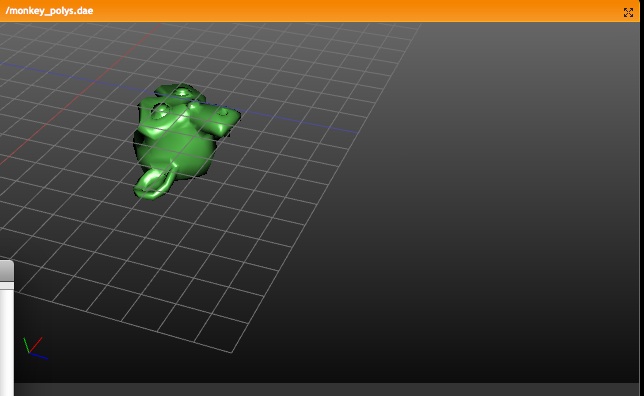
This is the case:

- Empty has Group duplicator
- Empty has NLA strips to animate the group

On linking the Empty to another group (with button in ObjectButtons), it
checks for the current strips in NLA, and tries to find the proper objects
in the new Group, based on name matches.
If not found, it sets the strip-objects to zero.
Previous experiment (in 2000) didn't satisfy, it had even some primitive
NLA option in groups... so, cleaned up the old code (removed most) and
integrated it back in a more useful way.

Usage:
- CTRL+G gives menu to add group, add to existing group, or remove from
  groups.
- In Object buttons, a new (should become first) Panel was added, showing
  not only Object "ID button" and Parent, but also the Groups the Object
  Belongs to. These buttons also allow rename, assigning or removing.
- To indicate Objects are grouped, they're drawn in a (not theme yet, so
  temporal?) green wire color.
- Use ALT+SHIFT mouse-select to (de)select an entire group

But, the real power of groups is in the following features:

-> Particle Force field and Guide control
In the "Particle Motion" Panel, you can indicate a Group name, this then
limits force fields or guides to members of that Group. (Note that layers
still work on top of that... not sure about that).

-> Light Groups
In the Material "Shaders" Panel, you can indicate a Group name to limit
lighting for the Material to lamps in this group. The Lights in a Group do
need to be 'visible' for the Scene to be rendered (as usual).

-> Group Duplicator
In the Object "Anim" Panel, you can set any Object (use Empty!) to
duplicate an entire Group. It will make copies of all Objects in that Group.
Also works for animated Objects, but it will copy the current positions or
deforms. Control over 'local timing' (so we can do Massive anims!) will be
added later.
(Note; this commit won't render Group duplicators yet, a fix in bf-blender
will enable that, next commit will sync)

-> Library Appending
In the SHIFT-F1 or SHIFT+F4 browsers, you can also find the Groups listed.
By appending or linking the Group itself, and use the Group Duplicator, you
now can animate and position linked Objects. The nice thing is that the
local saved file itself will only store the Group name that was linked, so
on a next file read, the Group Objects will be re-read as stored (changed)
in the Library file.
(Note; current implementation also "gives a base" to linked Group Objects,
to show them as Objects in the current Scene. Need that now for testing
purposes, but probably will be removed later).

-> Outliner
Outliner now shows Groups as optio too, nice to organize your data a bit too!

In General, Groups have a very good potential... for example, it could
become default for MetaBall Objects too (jiri, I can help you later on how
this works). All current 'layer relationships' in Blender should be dropped
in time, I guess...
(WIP, don't bugs for this in tracker yet please!)

- New Panel "Layers" in Material buttons, allows to add unlimited amount
  of materials on top of each other.
- Every Layer is actually just another Material, which gets rendered/shaded
  (including texture), and then added on top of previous layer with an
  operation like Mix, Add, Mult, etc.
- Layers render fully independent, so bumpmaps are not passed on to next
  layers.
- Per Layer you can set if it influences Diffuse, Specular or Alpha
- If a Material returns alpha (like from texture), the alpha value is
  used for adding the layers too.
- New texture "Map To" channel allows to have a texture work on a Layer
- Each layer, including basis Material, can be turned on/off individually

Notes:

- at this moment, the full shading pass happens for each layer, including
  shadow, AO and raytraced mirror or transparency...
- I had to remove old hacks from preview render, which corrected reflected
  normals for preview texturing.
- still needs loadsa testing!
While investigating alternative filters (Mitchell), I found two small
errors in the Gauss code, it clipped wrong and multiplied wrong, causing
settings other than filter size 1.0 to not work properly.

Took the last-minute liberty to add more filter types in Blender too.
Also wrote an extensive log about how sampling & filtering in Blender
works.

http://www.blender3d.org/cms/Samples_and_Filtering.723.0.html
http://www.blender3d.org/cms/New_Particle_options_a.721.0.html

There's no doubt this patch had a lot of good ideas for features, and I
want to compliment Janne again for getting it all to work even!
A more careful review of the features and code did show however quite some
flaws and bugs... partially because the current particle code was very much
polluted already, but also because of the implementation lacked quality.
However, the patch was too good to reject, so I've fixed and recoded the
parts that needed it most. :)

Here's a list of of most evident changes in the patch;

- Guides support recoded. It was implemented as a true 'force field',
  checking all Curve path points for each particle to find the closest. Was
  just far too slow, and didn't support looping or bends well.
  The new implementation is fast (real time) and treats the paths as actual
  trajectory for the particle.
- Guides didn't integrate in the physics/speed system either, was added as
  exception. Now it's integrated and can be combined with other velocities
  or forces
- Use of Fields was slow code in general, made it use a Cache instead.
- The "even" distribution didn't work for Jittered sample patterns.
- The "even" or "vertexgroup" code in the main loops were badly constructed,
  giving too much cpu for a simple task. Instead of going over all faces
  many times, it now only does it once.
  Same part of the code used a lot of temporal unneeded mallocs.
- Use of DerivedMesh or Mesh was confused, didn't work for Subsurfs in all
  cases
- Support for vertex groups was slow, evaluating vertexgroups too often
- When a vertexgroup failed to read, it was wrongly handled (set to zero).
  VertexGroup support now is with a name.
- Split up the too huge build_particle() call in some parts (moving new code)
- The "texture re-timing" option failed for moving Objects. The old code used
  the convention that particles were added with increasing time steps.
  Solved by creating a object Matrix Cache.
  Also: the texture coordinates had to be corrected to become "OrCo".
- The "Disp" option only was used to draw less particles. Changed it to
  actually calculate fewer particles for 3D viewing, but render all still.
  So now it can be used to keep editing realtime.

Removed;

The "speed threshold" and "Tight" features were not copied over. This
resembled too much to feature overkill. Needs re-evaluation.
Also the "Deform" option was not added, I prefer to first check if the
current particle system really works for the Modifier system.

And:

- Added integration for particle force fields in the dependency graph
- Added TAB completion for vertexgroup names!
- Made the 'wait cursor' only appear when particles take more than 0.5 sec
- The particle jitter table order now is randomized too, giving much
  nicer emitting of particles in large faces.
- Vortex field didn't correctly use speed/forces, so it didn't work for
  collisions.
- Triangle distribution was wrong
- Removed ancient bug that applied in a *very* weird way speed and forces.
  (location changes got the half force, speed the full...???)

So much... might have forgotten some notes! :)
DXF: when an error message occurs during read, the main call returned
without clearing the used global vars... causing crash on calling again.

ALso: added warning when trying to assign a taper or bevel using Object
itself. (report from opengl tracker :)
He noted that static particles don't work with force fields yet, and
added a fix for it. This however didn't work for the depgraph yet, and
didn't correct the static particle's local space to world coordinates for
the fields. Nevertheless, while reviewing this small patch I thought it
would be fun to add now.

So: static particles now update realtime on forcefield relations. Warning
for potential slowdowns! Also note that work on the real particle patch
still has to be done... something I really will do, but in time. To get
particles correctly integrated in the animation system, quite some new
development has to be done still.
1) Stride Bone

For walkcycles, you could already set an NLA strip to cycle over a path
based on a preset distance value. This cycling happens based on a linear
interpolation, with constant speed.
Not all cycles have a constant speed however, like hopping or jumping.
To ensure a perfect slipping-less foot contact, you now can set a Bone
in an Armature to define the stride. This "Stride Bone" then becomes a
sort-of ruler, a conveyor belt, on which the character walks. When using
the NLA "Use Path" option, it then tries to keep the Stride Bone entirely
motionless on the path, by cancelling out its motion (for the entire
Armature). This means that the animation keys for a Stride Bone have to be
exactly negative of the desired path. Only, at choice, the X,Y or Z Ipo
curve is used for this stride.

Examples:

http://www.blender.org/bf/0001_0040.avi
The top armature shows the actual Action, the bottom armature has been
parented to a Path, using the Stride Bone feature.

http://www.blender.org/bf/0001_0080.avi
Here the Stride Bone has a number of children, creating a ruler to be
used as reference while animating.

Test .blend:
http://www.blender.org/bf/motionblender1.blend

Notes:
- Note that action keys for Bones work local, based on the Bone's
  orientation as set in EditMode. Therefore, an Y translation always
  goes in the Bone's direction.
- To be able to get a "solvable" stride, the animation curve has
  to be inverse evaluated, using a Newton Raphson root solver. That
  means you can only create stride curves that keep moving forward, and
  cannot return halfway.
- Set the Stride Bone in the Editing Buttons, Bone Panel. You can set
  change the name or set the axis in the NLA Window, Strip Properties Panel.
- Files in this commit will move to the blender.org release section.

2) Armature Ghosting

In EditButtons, Armature Panel, you can set an armature to draw ghosts.
The number value denotes the amount of frames that have to be drawn extra
(for the active action!) around the current frame.
Ghosts only evaluate its own Pose, executing it's Actions, Constraints and
IK. No external dependencies are re-evaluated for it.

3) NLA/Action time control

If you click in the NLA window on the action (linked to Object), it makes
sure the Timing as drawn in the Action editor is not corrected for NLA.
If you also set the Object to "Action", this timing will be executed on the
Object as well (not NLA time).
(It's a bit confusing... will make a good doc & maybe review UI!)
Just fill in the name of a Vertex group in the Shape Panel, and this
Shape will then become blended with the reference Shape.

It is useful for example for a symmetrical modeled head, make a
copy of that Shape, and use two Vertex Groups to make it asymetric.
Of course the Shapes update nicely while Weight Painting.

Also new; since the Vertex group names reside on Object level, you might
want to copy these names to the other Objects that have the same Mesh.
That's a new button "Copy to Linked" in the first Edit Panel.
User doc: http://www.blender3d.org/cms/Shape_Keys.678.0.html

- The mixed use of "Vertex Key","Key" or "RVK" in Blender was a bit
confusing. Also a 'vertex key' assumes keys per vertex, which actually is
only a single key for the entire shape. The discussions on blender.org
forums all mentioned "Shape" or "Blend Shapes", which I think is an OK
name for a "Vertex Key" in the UI. :)

- Most work was code spaghetti cleanup. Doing shape-keys now nicely goes
via the depgraph and DerivedMesh. That then allows to have different
shapes per object, with the new "Pin" feature.
Objects now define what Shape is shown (ob->shapenr)

- Added a Shape Panel in the Edit buttons with the various options

- Fixed a lot of issues in the IpoWindow, with drawing the channels.
For example, deleting a key-line there caused the entire Relative option to
go wrong, same for moving the lines up/down.
Changing key-line order now reflects in order of channels. The active
Shape is drawn more clear now too.

- Noticed it doesnt work yet for curves/lattice. Need modifier advise!
There we can find now Particles, Fields & deflectors, Soft Body and Fluids.
This also as preparation for more work on the particle side (becomes two
panels).

Also renamed panels, and made sure the name "Soft Body" is spelled every-
where the same!

It uses an icon as was designed long ago already. Needs some thinking...
Further information is available here:

http://wiki.blender.org/bin/view.pl/Blenderdev/UnicodeFont3D

Shortlist of features:

- Unicode character support for Font3D
- UI to select characters from Unicode character list
- UI to select Unicode table areas
- Optimized character loading (Load only those characters which are used
  in font object)

Please test extensively if it breaks anything, try also loading/saving
files, packing fonts, etc.

The official text regression file in the regression suite should be a
good start.

Thanks to mikasaari for this very useful addition!
Minor modifications to simplify the code in evaluate_constraint.

The "Stick" feature will need more work as it gives bad results when skipping frames, jumping around on the timeline and when going backward in time.

Suggestion: Would be nice if it could use the local space too, not just global space planes.
- "Flush" is now split into two seperate Alignment modes "Flush" and
   "Justify":

   - Justify does exactly the same as a normal word processor's justify
     function does, and in addition, it uses *whitespace* instead of
     *character spacing* (kerning) to fill lines. Much more readable.

   - Flush is pretty much the old Blender "Flush" mode - and as such it
     uses character spacing to fill lines. Just as Justify, this only
     works with at least one textframe.

 - Underlining for text objects. Not a lot to explain. New button "U" in
   the editbuttons, and CTRL-U as hotkey toggle underlining for newly
   entered characters or for the selection, just like CTRL-B/CTRL-I do for
   bold/italic.

   Underline height (thickness) and Underline position (vertical) can be
   set in the editbuttons.

   Implemented as CU_POLY polygon curves.

 - The B, U and i buttons (and the corresponding CTRL-B/U/I keystrokes)
   have been fixed to only affect *one* attribute at a time. Formerly,
   hitting CTRL-B when no other style was active, on a text portion with
   italics text, for example, would kill the italics and just apply bold.

   Now, these attributes always add or substract only, but do not
   replace the style.

 - In the past, there were bugs with material indices uninitialized, and
   thus crashes in the renderer with illegal material indices.

   Even though I assume they have been fixed, I've put in a check that
   checks (hah) if the material index of a character is illegal (bigger
   than ob->totcol), and then sets it to zero, and spits out a warning
   on stderr.

   If you see such warnings, please report and link to the .blend.

 - Bugfix: All alignment modes only worked if there were at least *two*
   lines of text in the text object. Fixed


There's now a regression test file for text objects, please add to the
corresponding repository:

http://blender.instinctive.de/downloads/release/demo/text-regression.blend.gz
Best is to forget yesterday's commit and old docs. New docs are underway...

Here's how IK works now;

- IK chains can go all the way to the furthest parent Bone. Disregarding
  the old option "IK to Parent" and disgregarding whether a Bone has an
  offset to its parent (offsets now work for IK, so you can also make
  T-bones).
- The old "IK to Parent" option now only does what it should do: it denotes
  whether a Bone is directly connected to a Parent Bone, or not.
  In the UI and in code this option is now called "Connected".
- You can also define yourself which Bone will become the "Root" for an IK
  chain. This can be any Parent of the IK tip (where the IK constraint is).
  By default it goes all the way, unless you set a value for the new IK
  Constraint Panel option "Chain Lenght".
- "Tree IK" now is detected automatic, when multiple IK Roots are on the
  same Bone, and when there's a branched structure.
  Multiple IK's on a single chain (no branches) is still executed as usual,
  doing the IK's sequentially.
- Note: Branched structures, with _partial_ overlapping IK chains, that don't
  share the same Root will possibly disconnect branches.
- When you select a Bone with IK, it now draws a yellow dashed line to its
  Root.
- The IK options "Location Weight" and "Rotation Weight" are relative,
  in case there's a Tree IK structure. These weights cannot be set to
  zero. To animate or disable IK Targets, use the "Influence" slider.
- This new IK is backwards and upwards compatible for Blender files.
  Of course, the new features won't show in older Blender binaries! :)

Other changes & notes;

- In PoseMode, the Constraint Panel now also draws in Editing Buttons, next
  to the Bones Panel.
- IK Constraint Panel was redesigned... it's still a bit squished
- Buttons "No X DoF" is now called "Lock X". This to follow convention to
  name options positive.
- Added Undo push for Make/Clear Parent in Editmode Armature
- Use CTRL+P "Make Parent" on a single selected Bone to make it become
  connected (ALT+P had already "Disconnect").

On todo next; Visualizing & review of Bone DoF limits and stiffness
Main target was cleanup of editconstraint.c and removal of the ugly
ob->activecon (active constraint channel), which was set by the "Show"
button in the Constraint Panel.
Better is to introduce an 'Active Constraint' itself, which stores in
the Constraint itself. By using this setting, and by checking the active
Bone, the UI can update reliably now. This only shows now in IpoWindow
btw (for constraint ipos). The active Constraint is drawn in the Buttons
with a slightly brighter backdrop. Any action in that Panel selects a
constraint now (even click in backdrop).

So now we have pose channels & constraint channels nicely behaving. Now the
darn Action channels... :)

Further in this commit:

- interface.c: Button ROUNDBOX now does button callback too.
               Button NUMSLI didn't do the callback on a click only

- Cleaned up include files in yafray, got annoyed it compiled over all the
  time.

- removed unused variables from Constraint struct
This works pretty nice for better control over the curvature of any bone
deform. No need to give Bones (vgroups) large influence, just add a coupleof B-bone segments.

Two notes;
- The Bone property "Segments" defines if a deform happens as a 'B-bone'.
  The drawtype B-bone is just for display in 3d window.
- A B-bone also deforms (bends) in Rest-position, if there's a joint that
  creates a curved Bone. Therefore, best results you get by creating a
  rest-position with straight joints. Or, if you prefer a slightly bended
  restposition (for a spine or so), make sure the Mesh model is *not*
  curved, the B-bone will do this for you.

Also added: proper events on changing buttons for Bones, like "Segm" or
"Dist" etc.
to get rid of faces with MFace.v3==0
 - change all Mesh's to have ->medge now. This is forced by make_edges
   on readfile, and in the various exotic important routines, and on
   conversion back in python.
 - make python NMesh structure always have medges now (needs testing)
 - with above two changes it is guarenteed that mf->v3 is never ==0
   in main blender code (i.e., all MFace's are actually triangles
   or quads) and so I went through and removed all the historic tests
   to deal with MFace.v3==0. Equals lots of deleting, I am in heaven!
 - removed MEdge edcode flag, no longer needed
 - added experimental replacement for edge flag system

Still are some inconsistencies in FACESELECT mode edge drawing to
be ironed out.

NOTE: This commit adds an experimental edge flag calc system, based
on 10-seconds-of-thought algorithm by yours truly. Would appreciate
feedback on how this system works, esp compared to old one and esp
on complex or interesting models.

To Use: New system is enabled by setting G.rt to a value between
1 and 1000 (Value of 0 uses old system). Value 1000 is reserved for
"auto" edge, which is more or less identical to old system but also
makes sure that at least 10% of edges are drawn (solves errors for
super subdivided meshes). Values between 1 and 999 act as percent
(out of 1000) of edges that should be drawn, starting with "most
interesting" edges first. Please try it and comment!
- New: "Spray" is an option now. This used to be the only available vertex
  painting method, while holding the mousebutton and move mouse, it keeps
  applying (adding, blending) the color.
  Disabling "Spray" will give more a 'paint' effect, only applying the
  maximum what you indicated to be painting.

- Weight Paint now offers all options Vertex Paint has. This includes "Add",
  "Mult", "Sub", and "Filter". And of course the "Spray", which is default
  off btw.
  Since Weight Paint might need totally different settings, they are stored
  separate from Vertex Paint options.

- Renamed the weird "Area" and "Soft" options into something that tells what
  it actually does (Even tooltips were wrong).
  Area -> "All Faces", option to have all Faces inside the brush being
     painted on. Disabling this only paints on the face under the cursor.
  Soft -> "Vertex Dist", option that uses distances from cursor to vertex
     to calculate the effect. Disable it to only paint per-face.
  If someone knows better names... go ahead! :)

- New WeightPaint option in the Panel: "Clear", which removes reference
  to this deform group from all vertices.

- Removed code that deleted 'deform vertices' from Mesh on exit editmode,
  when vertexgroups were empty. This just worked against you... you could
  not paint on empty groups.

- Made Weight Paint painting much nicer. The way it applied values was very
  harsh without good transitions. Mainly because it didn't use the
  "Vertex Dist" option, but also because it applied colors 3 or 4 times per
  vertex (tria/quad).

- Weight Paint undo now restores on a 2nd Undo.

- Vertex Paint Panel button "Clear" didn't work even.
- new feature, twiddled with lattice resizing to try to maintain
   existing vertex changes... much nicer than just resetting the
   lattice if you decide you need more detail in the lattice.
 - modifiers work with lattices now. yes, that does mean you
   can make a chain of lattices effecting each other 8 miles
   long.
 - some cleanup of softbody code, was rather splintered and call
   path was twisted and confusing. reworked main object step
   routine to do things in a more obvious and consistent manner
   and without duplicate code
 - added ob->softflag OB_SB_RESET instead of sbObjectReset
   call
 - modifier changes reset softbody now
 - moved curve_getVertexCos/curve_applyVertexCos into curve.c
 - update curve modifier eval to work with virtual modifiers
 - update modifier apply to work with curves/surfs
 - update make parent to also recalc object data

NOTE: Although you can turn SB on for curve/font objects at the
moment it doesn't really work because they call deform in
multiple steps and this confuses SB. Not sure how to deal with
atm.
can only follow deform (for example, they store mesh vertex
   indices)
 - added ModifierType.foreachObjectLink for iterating over Object
   links inside modifier data (used for file load, relinking, etc)
 - switched various modifiers_ functions to take object argument
   instead of ListBase
 - added user editable name field to modifiers
 - bug fix, duplicate and make single user didn't relink object
   pointers in modifier data
 - added modifiers to outliner, needs icon
 - added armature, hook, and softbody modifiers (softbody doesn't
   do anything atm). added conversion of old hooks to modifiers.

NOTE-THE-FIRST: User name field is not initialized on loading 2.38 files
so if you have saved stuff with a cvs blender you will see blank names.

NOTE-THE-SECOND: Since modifiers aren't evaluated yet for non-Mesh
objects, hooks for lattices and curves are broken. Don't updated if
you actually, say, *use* Blender.

NOTE-THE-THIRD: Old hooks used a quirky weighting system during
deformation which can't be extended to modifiers. On the upside,
I doubt anyone relied on the old quirky system and the new system
makes much more sense. (Although the way falloff works is still
quite stupid I think).
- moved back to editing buttons, where life is now cramped... switched
   to constraint style foldout panes, still a WIP. In particular not
   sure what buttons should be in header (and if current toggles stay
   in header if they should also be in an expanded pane). Also need
   new icons for move up/move down (and drag and drop would of course
   be nice). Finally current plane is to make it so modifiers will
   expand out in modifier pane for horizontal orientations instead of
   just going down down down to goblin town.
 - added error field to modifiers that is displayed in UI, need to have
   some way for modifiers to return errors back to interface (esp. important
   for python)
 - tweaked cage determination and handling, currently the editmode cage
   is determined by last modifier with OnCage set that is preceeded completely
   by modifiers that support mapping or are disabled in editmode. it is
   kinda confusing, but the interface only lets you toggle OnCage for modifiers
   that support it - it just might not be clear all the time why you can't
   toggle a certain modifier OnCage.
 - update displistmesh_copy to only copy edges if non-NULL

There is a display bug that already existed but is more obvious with
new modifiers where parts of the pane get drawn in a different area
after toggling editmode. It has to do with drawing parts of the interface
using GL instead of 100% buttons. I try to keep my grubby little toes
out of the interface code so this can wait for Ton to return.
- added modifier type flag: should modifier be enabled by default for
   active in editmode
 - added subsurf "debug incremental" option instead of G.rt==52 (it becomes
   a slightly useful feature now for debugging how well a modifier works
   with incremental subsurf... maybe important for future python modifier
   developers)
 - shuffled modifier button layout just to keep people guessing
 - switched back to drawing editmesh face centers not through derivedmesh,
   I didn't think this one through, forgot that centers were also used for
   selection. have to think about what to do about this, should be either
   (a) don't draw centers with a cage active (optimal mode) or (b) come up
   with api to draw centers through derivedmesh and also handle selection.
 - changed recalc_editnormals to also follow the len(no)==0.0 use vertex
   co convention
- added ModifierTypeInfo.freeData function
 - added modifier_{new,free] utility function
 - added ccgSubSurf_getUseAgeCounts to query info
 - removed subsurf modifier faking (ME_SUBSURF flag is no
   longer valid). subsurf modifier gets converted on file load
   although there is obscure linked mesh situation where this
   can go wrong, will fix shortly. this also means that some
   places in the code that test/copy subsurf settings are broken
   for the time being.
 - shuffled modifier calculation to be simpler. note that
   all modifiers are currently disabled in editmode (including
   subsurf). don't worry, will return shortly.
 - bug fix, build modifier didn't randomize meshes with only verts
 - cleaned up subsurf_ccg and adapted for future editmode modifier
   work
 - added editmesh.derived{Cage,Final}, not used yet
 - added SubsurfModifierData.{mCache,emCache}, will be used to cache
   subsurf instead of caching in derivedmesh itself
 - removed old subsurf buttons
 - added do_modifiers_buttons to handle modifier events
 - removed count_object counting of modifier (subsurfed) objects...
   this would be nice to add back at some point but requires care.
   probably requires rewrite of counting system.

New feature: Incremental Subsurf in Object Mode

The previous release introduce incremental subsurf calculation during
editmode but it was not turned on during object mode. In general it
does not make sense to have it always enabled during object mode because
it requires caching a fair amount of information about the mesh which
is a waste of memory unless the mesh is often recalculated.

However, for mesh's that have subsurfed armatures for example, or that
have other modifiers so that the mesh is essentially changing on every
frame, it makes a lot of sense to keep the subsurf'd object around and
that is what the new incremental subsurf modifier toggle is for. The
intent is that the user will enable this option for (a) a mesh that is
currently under active editing or (b) a mesh that is heavily updated
in the scene, such as a character.

I will try to write more about this feature for release, because it
has advantages and disadvantages that are not immediately obvious (the
first user reaction will be to turn it on for ever object, which is
probably not correct).
Aim was to get a total refresh of the animation system. This
is needed because;
- we need to upgrade it with 21st century features
- current code is spaghetti/hack combo, and hides good design
- it should become lag-free with using dependency graphs

A full log, with complete code API/structure/design explanation
will follow, that's a load of work... so here below the list with
hot changes;

- The entire object update system (matrices, geometry) is now
  centralized. Calls to where_is_object and makeDispList are
  forbidden, instead we tag objects 'changed' and let the
  depgraph code sort it out
- Removed all old "Ika" code
- Depgraph is aware of all relationships, including meta balls,
  constraints, bevelcurve, and so on.
- Made depgraph aware of relation types and layers, to do smart
  flushing of 'changed' events. Nothing gets calculated too often!
- Transform uses depgraph to detect changes
- On frame-advance, depgraph flushes animated changes

Armatures;

Almost all armature related code has been fully built from scratch.
It now reveils the original design much better, with a very clean
implementation, lag free without even calculating each Bone more than
once. Result is quite a speedup yes!

Important to note is;

1) Armature is data containing the 'rest position'
2) Pose is the changes of rest position, and always on object level.
   That way more Objects can use same Pose. Also constraints are in Pose
3) Actions only contain the Ipos to change values in Poses.

- Bones draw unrotated now
- Drawing bones speedup enormously (10-20 times)
- Bone selecting in EditMode, selection state is saved for PoseMode,
  and vice-versa
- Undo in editmode
- Bone renaming does vertexgroups, constraints, posechannels, actions,
  for all users of Armature in entire file
- Added Bone renaming in NKey panel
- Nkey PoseMode shows eulers now
- EditMode and PoseMode now have 'active' bone too (last clicked)
- Parenting in EditMode' CTRL+P, ALT+P, with nice options!
- Pose is added in Outliner now, with showing that constraints are in
  the Pose, not Armature
- Disconnected IK solving from constraints. It's a separate phase now,
  on top of the full Pose calculations
- Pose itself has a dependency graph too, so evaluation order is lag free.

TODO NOW;

- Rotating in Posemode has incorrect inverse transform (Martin will fix)
- Python Bone/Armature/Pose API disabled... needs full recode too
  (wait for my doc!)
- Game engine will need upgrade too
- Depgraph code needs revision, cleanup, can be much faster!
  (But, compliments for Jean-Luc, it works like a charm!)
- IK changed, it now doesnt use previous position to advance to next
  position anymore. That system looks nice (no flips) but is not well
  suited for NLA and background render.

TODO LATER;

We now can do loadsa new nifty features as well; like:

- Kill PoseMode (can be option for armatures itself)
- Make B-Bones (Bezier, Bspline, like for spines)
- Move all silly button level edit to 3d window (like CTRL+I = add
  IK)
- Much better & informative drawing
- Fix action/nla editors
- Put all ipos in Actions (object, mesh key, lamp color)
- Add hooks
- Null bones
- Much more advanced constraints...


Bugfixes;

- OGL render (view3d header) had wrong first frame on anim render
- Ipo 'recording' mode had wrong playback speed
- Vertex-key mode now sticks to show 'active key', until frame change

-Ton-
Important notes:

 - Full compatibility with old text objects not fully restored
   (word spacing will be 0.0, need to set it manually to 1.0), will
   either need version upgrade to 238 or a hack. Will check.

 - lorem.c (about to be committed) contains BF copyright notice, but as
   BF did not exist a few hundred years ago, probably best to remove it :)

 - If you notice any cross-platform issues (especially beloved windows),
   please report

 - A few tiny warnings left, I will fix those issues still.

The rest has been said already - so have fun testing. And please do!

=== Reminder:
=== Documentation at http://blender.instinctive.de/docs/textobject.txt ===
of course...)

Not quite complete, but due to lack of time as good as it will get for now.

From the previous commit, forgot to report that basic fog is supported as well. Though because I had not much time to complete the code, it is sort of unfinished, and you will have
to tweak parameters specifically for yafray again. It uses only the world horizon color, and
only uses the Blender mist distance setting.

Textures now support checker clip mode.

Fixed possibly all 'duplilist non-empty' errors, though it could hide the real cause of the
error.

AA is no longer enabled automatically for certain GI quality settings, I thought it best to
leave it to the user to decide.

SkyDome GI mode now supports cache as well. There is a new option in the GI quality menu 'Use
Blender AO settings', which will as it says use the most important AO settings for the
skydome parameters. The only AO parameters used are 'Samples', 'Dist' and the random sampling
switch, which unlike in Blender you might want to use more often, since the QMC sampling used
in yafray can result in visible patterns or a dithering type look. 'Random' is not completely
random in yafray however, it is actually jittered (stratified) sampling.
Using an occlusion cache, doesn't necessarily mean that you will always get much shorter
render times. As with 'full' GI and cache, one problem is bumpmaps, when using bump (or
normal) maps, the sampling will be much more dense, using lots more rendertime.
As a temporary fix there is a button 'NoBump', but this also has the side effect that in
areas of total indirect light (or when used with SkyDome cache) no bumpmapping will be
visible. It is therefor best used with some direct light as well.
For SkyDome with cache, and strong bumpmapping it might actually not make much difference,
since for low distance values you can usually get away with low sample values as well.

The entire material panel is now replaced by another panel to show only the parameters
important to yafray and add some new ones as well.

Since lots of users (especially yafray beginners) have had problems getting certain material
aspects right, there is now a material preset menu available to hopefully solve some of the
most common "How do I do this? It doesn't work!" questions seen in various forums.
Choosing an option from this menu will set the required parameters to default
values for yafray, and you can work your way from there to tweak it something you want.

Most buttons are copies of the same Blender parameters, with some variations. Just like
Blender 'Ray Mirror' enables reflection, 'Ray Transp' enables refraction. You can use
'ZTransp' for materials that have texture maps with alpha channels.
Again, same as Blender 'rayMir' sets the amount of reflection. Next button 'frsOfs' however
controls fresnel offset, meaning that when this is set to 1, you will get no fresnel effect
and when set to 5, reflection is totally determined by fresnel, which is important for
realistic glass/metals/etc.
IOR is self-explanatory (...), same as Blender.
When you have 'Ray Transp' enabled, the blender 'filter' button will appear next to the IOR
button. This has the same effect as in Blender.

Below that there are some new parameters, 'Ext.Color' sets the extinction color for
transparent materials. Usually, in real transparent materials, light loses some of it's
energy the further it has to travel through the object. This effect can be simulated with
this parameter. Thing to look out for is that it specifies the color which will be
REMOVED after traveling through the object. What this means is that say you have a clear
white glass sphere, and set the extinction color to a strong blue, the result will be a
very yellow object when rendered.

Next to the color sliders, there is another set of three parameters, with which you can
enable color dispersion for transparent objects. 'Pwr' sets the amount of dispersion,
the higher, the more dispersion (the more colorful the result).
(For real world materials, this number can be found or derived from data in various glass catalogues)
The 'Samples' button below that sets the number of samples used, minimum values are around
7-10, and for very strong dispersion you might need a lot more.
As usual, this also means an increase in render time of course, but to simulate
realistic materials, you shouldn't really need more than 25 samples.
In addition to that, when using low sample numbers, but to still get a good spread of colors,
you can enable the jitter button, but this will also add noise.

Point/soft(point with shadowbuffer) or sphere lights (light with radius), have a new option
to add a simple glow effect, so that lights can be made visible.
NOTE: just like spotlight halo's, glow is not visible against the background, there must be
another object behind it. Simplest solution is to use a large black shadeless plane behind
your scene.
The glow intensity can be set with the 'GlowInt' parameter (use very low values around 0.01
even lower), and you can choose from two different types with the 'GlowType' button (which
don't look much different, but type 1 is probably better, type 0 faster).

And that's it, with apologies for the still missing features and
full support in general, but this will have to do for now.
Works as follows;
- press the 'show bake settings' button (no space left... :)
- define start/end frame for bake, and an interval step.
  The baked result interpolates nicely (Bspline, 4 keys) so in general a
  step size of 2 or 3 still gives OK results.
- Press "BAKE". This will do a full animation + playback. Press ESC if it
  you don't want it.

Once Baked, the BAKE button becomes a FREE BAKE. As reminder the softbody
buttons get blocked with error() menu.

This saves OK in a file. Renders any frame, including fields and moblur.
You can also set a "Timeoffs" for the softbody. And yes, this should be
in the NLA once... :)

NOTE! With this commit, files saved with the old (first commit) version by
Jens Ole won't read the settings back... he stored all sofbody variables in
Object, which was moved to a new struct when I did my first commit on SB
(over a month ago)

Also note that I moved particle deflecting & softbody to a new include.
submitted by Alexander, changes/improvements are:

- Moved to new Panel in Scene buttons "Post Effects". Together with other
  postprocessing options, such as Edge render. It is also not called DoF,
  this because that's a bit pretending too much then. It's a zblur still!
- Made it render Alpha as well
- Made it use and deliver float buffers
- Huge cleanup of zblur.c code, was very messy. It was alling things in render
  code without need even (win matrices, transform faces, etc)
- Fixed errors in using Z values (zbuffer is signed int)
- Removed very weird gamma corrections for front/back half
- Tweaked gaussian table, allow variable 'Sigma' to be set for gauss curve
- Didn't copy 'auto focus' yet. Use of this is very limited, and gives
  false expectations, nor works for rendering anims with deamons well.

Main issue remains: it's not a very advanced feature... I still doubt
very much if this deserves to be released. Spent 2 days on trying to get
the key issues solved, with not much results.

- gauss filter code has weird side effects on large blur size
- having unsharp (blurred) in front also blurs what's around in back.
  only blurred in back with sharp in front works a little bit
- severe aliasing errors... also due the code splitting in 2 halves
- doesnt work with unified yet
- won't work for halos, spot halos or transparant faces

Anyhoo... It was promised to be committed, so now artists can play with it.
Who knows it's useful after all, or some fixes can be implemented. :)
- Added browsing for vertex group for "Goal" in SoftBody buttons.
- Means the default name "SOFTGOAL" isn't needed anymore
- temporally, on file read, the "SOFTGOAL" vertex group is set, if exists
- removing vertex group possible too
- changed softbody.c code to use this
- Added Softbody effect for Lattices (not too useful yet without
  vertexgroups though)
- Added default vertex "goal" value + button, to be assigned when no
  vertexgroup exists (or vertex isn't in the group)
- Made softmin and softmax work as documented (defining min and max range)
- made changes in buttons send 'update' signal to softbody

And:

- added Nkey Properties to show lattice coordinates
- added G.editMesh->derived pointer... idea is to use this
   for mesh derived from editmesh instead of Mesh->derived (as the
   derived mesh tends to vary depending on what it came from).

   This part could be cleaner, also there may problems with it not
   being invalidated correctly.

 - And most importantly: In case people were beginning to worry all
   these edits were just crazy zr stuff, the big point comes about:
   Incremental subsurf calculation is now enabled. This gives massive
   speed improvements when editing a large mesh.

   For the eye-candy happy: try setting G.rt==52 before entering editmode
   and the edges and vertices (in optimal mode) will switch to displaying
   visually the age since a region has last been calculated. Lots of
   fun!
Render:
- New; support for dual CPU render (SDL thread)
  Currently only works with alternating scanlines, but gives excellent
  performance. For both normal render as unified implemented.
  Note the "mutex" locks on z-transp buffer render and imbuf loads.
- This has been made possible by major cleanups in render code, especially
  getting rid of globals (example Tin Tr Tg Tb Ta for textures) or struct
  OSA or using Materials or Texture data to write to.
- Made normal render fully 4x32 floats too, and removed all old optimizes
  with chars or shorts.
- Made normal render and unified render use same code for sky and halo
  render, giving equal (and better) results for halo render. Old render
  now also uses PostProcess options (brightness, mul, gamma)
- Added option ("FBuf") in F10 Output Panel, this keeps a 4x32 bits buffer
  after render. Using PostProcess menu you will note an immediate re-
  display of image too (32 bits RGBA)
- Added "Hue" and "Saturation" sliders to PostProcess options

- Render module is still not having a "nice" API, but amount of dependencies
  went down a lot. Next todo: remove abusive "previewrender" code.
  The last main global in Render (struct Render) now can be re-used for fully
  controlling a render, to allow multiple "instances" of render to open.

- Renderwindow now displays a smal bar on top with the stats, and keeps the
  stats after render too. Including "spare" page support.
  Not only easier visible that way, but also to remove the awkward code that
  was drawing stats in the Info header (extreme slow on some ATIs too)

- Cleaned up blendef.h and BKE_utildefines.h, these two had overlapping
  defines.

- I might have forgotten stuff... and will write a nice doc on the architecture!
#define B_UNLINKIMA            1358

Since it was undefined and causing things not to compile.  Whoever added it
might want to move it but hey its working again for now. ;)

Kent
When choosing "render engine" in Scene Buttons, the newly added or removed
Panels didn't invoke a re-alignment event yet.
Also added code that inserts new panels as good as possible on their
previous locations. This works reliable for 1 new panel, not for more, this
because a Panel only stores its old location, not the locations of all
Panels in a given configuration. Consider that minor issue...
The outliner is a hierarchical diagram displaying a list of data in Blender
and its dependencies. The 'databrowse' doesn't really show it, and Oops is
too chaotic still. And most of all, the former two don't offer much tools.

After discussions on irc, Matt came with this design proposal;
http://mke3.net/blender/interface/layout/outliner/
Which is closely followed for the implementation.

The current version only shows all 'library data' in Blender (objects,
meshes, ipos, etc) and not the 'direct data' such as vertex groups or NLA.

I decided to make it inside the Oopw window, as an option. You can find the
option in the "View" pulldown, or directly invoke it with ALT+SHIFT+F9
Here's a quick overview of the Outliner GUI:

- Header pulldown has options what it can show (Visible = in current layers)
- click on triangle arrow to open/close
- press AKEY to open/close all
- Leftmouse click on an item activates; and does based on type a couple of
  extra things:
  - activates a scene
  - selects/activates the Object
  - enters editmode (if clicked on Mesh, Curve, etc)
  - shows the appropriate Shading buttons (Lamp, Material, Texture)
  - sets the IpoWindow to the current IPO
  - activates the Ipo-channel in an Action
- Selected and Active objects are drawn in its Theme selection color
- SHIFT+click on Object does extend-select
- Press DOTkey to get the current active data in center of view


TODO;
- rightmouse selection; for indicating operations like delete or duplicate
- showing more data types
- icon (re)design...
- lotsof options as described in Matts paper still...
1) Curve deform
http://www.blender3d.org/cms/Curve_Deform.392.0.html
Works simple as expected, but keep track of the rotation axis
in F7 buttons (Track X Y Z)
Only Mesh deform supported now.

Code changes:
- centralized deformation calls in curve_modifiers() mesh_modifiers()
etcetera. Here also other effects can be added like wave. Now the
evaluation order is fixed, but should become optional. It also doesnt
use the Displist anymore as deform-input. That latter part is unfinished
yet.
This code also is used for Hooks and will be needed for softbody

- made convention stricter that displists are being checked on in
drawobject(), this to prevent routines to make new displists recursively
(like armature does). Now a freedisplist() is sufficient to signal that
a new displaylist should be made.

2) Object Hooks
http://www.blender3d.org/cms/Object_Hooks.391.0.html
Support for Hooks is added to Mesh, Lattice, Curve and Surface objects.
For Armatures this would require some more work & research.
Main goal for this feature is to provide quick & simple access to the
underlying geometry in Objects on Object level, supporting hierarchies and
Ipos etc.
Read today's meeting minutes for a description.

Bjornmose: We'll need some example and screenshots for the dev pages of blender3d.org. If you can do some, neat, if not, I'll do them.

Matt, Emilie and Chris: Please review UI addition. Pixel alignement and all that fun stuff has not be overly looked for (though I did some cleaning by adding alignment blocks).
- while editing creases (SHIFT+E) it works like scaling now (towards or
  away from center selection).
- ESC while crease edit now works.
  (note; doesnt fit in Trans structs...)
- button 'draw edges' and 'draw creases' now exclude each other
http://www.loria.fr/~levy/Galleries/LSCM/index.htmlhttp://www.loria.fr/~levy/Papers/2002/s2002_lscm.pdf
Implementation Least Squares Conformal Maps parameterization, based on
chapter 2 of:
Bruno Levy, Sylvain Petitjean, Nicolas Ray, Jerome Maillot. Least Squares
Conformal Maps for Automatic Texture Atlas Generation. In Siggraph 2002,
July 2002.
Seams: Stored as a flag (ME_SEAM) in the new MEdge struct, these seams define
where a mesh will be cut when executing LSCM unwrapping. Seams can be marked
and cleared in Edit Mode. Ctrl+EKEY will pop up a menu allowing to Clear or Mark
the selected edges as seams.
Select Linked in Face Select Mode now only selects linked faces if no seams
separate them. So if seams are defined, this will now select the 'face group'
defined by the seams. Hotkey is still LKEY.
LSCM Unwrap: unwrap UV's by calculating a conformal mapping (preserving local
angles). Based on seams, the selected faces will be 'cut'. If multiple
'face groups' are selected, they will be unwrapped separately and packed in
the image rectangle in the UV Editor. Packing uses a simple and fast
algorithm, only designed to avoid having overlapping faces.
LSCM can be found in the Unwrap menu (UKEY), and the UV Calculation panel.
Pinning: UV's can be pinned in the UV Editor. When LSCM Unwrap is then
executed, these UV's will stay in place, allowing to tweak the solution.
PKEY and ALT+PKEY will respectively pin and unpin selected UV's.
Face Select Mode Drawing Changes:
- Draw Seams option to enable disable drawing of seams
- Draw Faces option to enable drawing of selected faces in transparent purple
- Draw Hidden Edges option to enable drawing of edges of hidden faces
- Draw Edges option to enable drawing of edges of visible faces
The colors for these seams, faces and edges are themeable.
Edges in Mesh
- adds automatic when you use creases. For other situations; call the
  void make_edges(Mesh *me) in mesh.c. Of course, once in editmode the
  edges are automatically recreated.
- in F9 buttons you can add/remove edges too
- both for Mesh and DisplistMesh, so it speeds up drawing quite some in
  wireframe
- render for edges can't work... edges have no material nor tface nor col..
  so here still the faces are rendered in wire

Creases in Subsurf
- based on the code by Chris McFarlen
- main changes is that now edges are used, saving quite some data in file
- use SHIFT+E in editmode to set edges-sharpness. values go from 0-1
- in F9 buttons you can set draw-crease mode. It draws now blended from
  wire color to edge-select color (as provided in Theme)

Known issue: setting sharpness on 1 cube (subdiv 2) gives weird results
with some values... Chris, can you check?

Further; code cleanups, changing 0 in NULL when needed, no warnings, etc etc