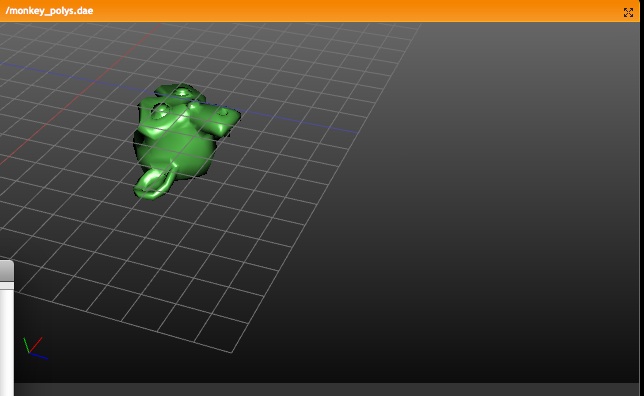
The tool "Single User" -> "Object data" missed a tag to recalculate the
geometry. This caused meshes to disappear after entering editmode on the
former linked mesh.
-> Any Group Duplicate now can get local timing and local NLA override. This
   enables to control the entire animation system of the Group.

Two methods for this have been implemented.
1) The quick way: just give the duplicator a "Startframe" offset.
2) Advanced: in the NLA Editor you can add ActionStrips to the duplicator
   to override NLA/action of any Grouped Object.

For "Group NLA" to work, an ActionStrip needs to know which Object in a
group it controls. On adding a strip, the code checks if an Action was
already used by an Object in the Group, and assigns it automatic to that
Object.
You can also set this in the Nkey "Properties" panel for the strip.

Change in NLA: the SHIFT+A "Add strip" command now always adds strips to
the active Object. (It used to check where mouse was). This allows to add
NLA strips to Objects that didn't have actions/nla yet.

Important note: In Blender, duplicates are fully procedural and generated
on the fly for each redraw. This means that redraw speed equals to stepping
through frames, when using animated Duplicated Groups.

-> Recoded entire duplicator system

The old method was antique and clumsy, using globals and full temporal
copies of Object. The new system is nicer in control, faster, and since it
doesn't use temporal object copies anymore, it works better with Derived
Mesh and DisplayList and rendering.

By centralizing the code for duplicating, more options can be easier added.
Features to note:

- Duplicates now draw selected/unselected based on its Duplicator setting.
- Same goes for the drawtype (wire, solid, selection outline, etc)
- Duplicated Groups can be normally selected too

Bonus goodie: SHIFT+A (Toolbox) now has entry "Add group" too, with a
listing of all groups, allowing to add Group instances immediate.

-> Library System

- SHIFT+F4 data browse now shows the entire path for linked data
- Outliner draws Library Icons to denote linked data
- Outliner operation added: "Make Local" for library data.
- Outliner now also draws Groups in regular view, allowing to unlink too.

-> Fixes

- depsgraph missed signal update for bone-parented Objects
- on reading file, the entire database was tagged to "recalc" fully,
  causing unnecessary slowdown on reading.

Might have missed stuff... :)
Previous experiment (in 2000) didn't satisfy, it had even some primitive
NLA option in groups... so, cleaned up the old code (removed most) and
integrated it back in a more useful way.

Usage:
- CTRL+G gives menu to add group, add to existing group, or remove from
  groups.
- In Object buttons, a new (should become first) Panel was added, showing
  not only Object "ID button" and Parent, but also the Groups the Object
  Belongs to. These buttons also allow rename, assigning or removing.
- To indicate Objects are grouped, they're drawn in a (not theme yet, so
  temporal?) green wire color.
- Use ALT+SHIFT mouse-select to (de)select an entire group

But, the real power of groups is in the following features:

-> Particle Force field and Guide control
In the "Particle Motion" Panel, you can indicate a Group name, this then
limits force fields or guides to members of that Group. (Note that layers
still work on top of that... not sure about that).

-> Light Groups
In the Material "Shaders" Panel, you can indicate a Group name to limit
lighting for the Material to lamps in this group. The Lights in a Group do
need to be 'visible' for the Scene to be rendered (as usual).

-> Group Duplicator
In the Object "Anim" Panel, you can set any Object (use Empty!) to
duplicate an entire Group. It will make copies of all Objects in that Group.
Also works for animated Objects, but it will copy the current positions or
deforms. Control over 'local timing' (so we can do Massive anims!) will be
added later.
(Note; this commit won't render Group duplicators yet, a fix in bf-blender
will enable that, next commit will sync)

-> Library Appending
In the SHIFT-F1 or SHIFT+F4 browsers, you can also find the Groups listed.
By appending or linking the Group itself, and use the Group Duplicator, you
now can animate and position linked Objects. The nice thing is that the
local saved file itself will only store the Group name that was linked, so
on a next file read, the Group Objects will be re-read as stored (changed)
in the Library file.
(Note; current implementation also "gives a base" to linked Group Objects,
to show them as Objects in the current Scene. Need that now for testing
purposes, but probably will be removed later).

-> Outliner
Outliner now shows Groups as optio too, nice to organize your data a bit too!

In General, Groups have a very good potential... for example, it could
become default for MetaBall Objects too (jiri, I can help you later on how
this works). All current 'layer relationships' in Blender should be dropped
in time, I guess...
(WIP, don't bugs for this in tracker yet please!)

- New Panel "Layers" in Material buttons, allows to add unlimited amount
  of materials on top of each other.
- Every Layer is actually just another Material, which gets rendered/shaded
  (including texture), and then added on top of previous layer with an
  operation like Mix, Add, Mult, etc.
- Layers render fully independent, so bumpmaps are not passed on to next
  layers.
- Per Layer you can set if it influences Diffuse, Specular or Alpha
- If a Material returns alpha (like from texture), the alpha value is
  used for adding the layers too.
- New texture "Map To" channel allows to have a texture work on a Layer
- Each layer, including basis Material, can be turned on/off individually

Notes:

- at this moment, the full shading pass happens for each layer, including
  shadow, AO and raytraced mirror or transparency...
- I had to remove old hacks from preview render, which corrected reflected
  normals for preview texturing.
- still needs loadsa testing!
- If the mirrored group doesn't exist yet, it creates that group now.
- Painting on any non-mirror group (not a name complying mirror rules), it
  will now paint mirrored on the group itself.
- The Mesh octree for mirror painting was not created on loading a file
  in WeightPaint mode, or on exiting Editmode for Mesh. This caused mirror
  painting to not work always.
- Tweaked the threshold calculation for vertices, so it gives fewer misses.
Well, it already worked a bit, but without weight options or edge
stiffness. You now can set the weights using the "Properties" Panel in
the 3D Window (allows multiple selections too) or with Wkey in Edit Mode.
Bezier curves have this too.

NOTE: Lattice SoftBody Goal created yesterday won't work anymore!
I've had to recode weight support for Nurbs Points, using a new weight
variable... this because the existing W variable was in use for Nurbs
already. Also Lattices have this new Weight variable, so the code is nice
uniform. Sorry for the artists who already created complex Lattices... :)

NOTE2: Surface Objects don't support edge stiffness yet

NOTE3: I've removed ancient screen coordinates from the Bezier struct,
which makes - even with added weight and padding - the struct smaller!

Demo file:
http://download.blender.org/demo/test/2.40/softbody_curve_lattice.blend
Animating detailed clothes with softbody becomes messy, so now we'll
try it this way. :)

It simply uses the W (weight) value, as already available in each Lattice
Point. Only had to make it editable;

- NKey panel
- or press W in editmode

Further there's a minimalistic W button in the softbody Panel!
underline stuff) as well.

Attempt at fixing editmode undo, but not successful. I'll create a bug-
report and assign it to Mika, because I only understand "train station"
(German saying :-) when looking at the code.
http://www.blender.org/bf/rt3.jpg
  It uses Material color and specular, like for the solid faces.
- Depgraph Fix for changing object layers, should re-evaluate dependencies
- Fix for setting curves to 3D by default (on adding a Guide field)
http://www.blender3d.org/cms/New_Particle_options_a.721.0.html

There's no doubt this patch had a lot of good ideas for features, and I
want to compliment Janne again for getting it all to work even!
A more careful review of the features and code did show however quite some
flaws and bugs... partially because the current particle code was very much
polluted already, but also because of the implementation lacked quality.
However, the patch was too good to reject, so I've fixed and recoded the
parts that needed it most. :)

Here's a list of of most evident changes in the patch;

- Guides support recoded. It was implemented as a true 'force field',
  checking all Curve path points for each particle to find the closest. Was
  just far too slow, and didn't support looping or bends well.
  The new implementation is fast (real time) and treats the paths as actual
  trajectory for the particle.
- Guides didn't integrate in the physics/speed system either, was added as
  exception. Now it's integrated and can be combined with other velocities
  or forces
- Use of Fields was slow code in general, made it use a Cache instead.
- The "even" distribution didn't work for Jittered sample patterns.
- The "even" or "vertexgroup" code in the main loops were badly constructed,
  giving too much cpu for a simple task. Instead of going over all faces
  many times, it now only does it once.
  Same part of the code used a lot of temporal unneeded mallocs.
- Use of DerivedMesh or Mesh was confused, didn't work for Subsurfs in all
  cases
- Support for vertex groups was slow, evaluating vertexgroups too often
- When a vertexgroup failed to read, it was wrongly handled (set to zero).
  VertexGroup support now is with a name.
- Split up the too huge build_particle() call in some parts (moving new code)
- The "texture re-timing" option failed for moving Objects. The old code used
  the convention that particles were added with increasing time steps.
  Solved by creating a object Matrix Cache.
  Also: the texture coordinates had to be corrected to become "OrCo".
- The "Disp" option only was used to draw less particles. Changed it to
  actually calculate fewer particles for 3D viewing, but render all still.
  So now it can be used to keep editing realtime.

Removed;

The "speed threshold" and "Tight" features were not copied over. This
resembled too much to feature overkill. Needs re-evaluation.
Also the "Deform" option was not added, I prefer to first check if the
current particle system really works for the Modifier system.

And:

- Added integration for particle force fields in the dependency graph
- Added TAB completion for vertexgroup names!
- Made the 'wait cursor' only appear when particles take more than 0.5 sec
- The particle jitter table order now is randomized too, giving much
  nicer emitting of particles in large faces.
- Vortex field didn't correctly use speed/forces, so it didn't work for
  collisions.
- Triangle distribution was wrong
- Removed ancient bug that applied in a *very* weird way speed and forces.
  (location changes got the half force, speed the full...???)

So much... might have forgotten some notes! :)
1) Stride Bone

For walkcycles, you could already set an NLA strip to cycle over a path
based on a preset distance value. This cycling happens based on a linear
interpolation, with constant speed.
Not all cycles have a constant speed however, like hopping or jumping.
To ensure a perfect slipping-less foot contact, you now can set a Bone
in an Armature to define the stride. This "Stride Bone" then becomes a
sort-of ruler, a conveyor belt, on which the character walks. When using
the NLA "Use Path" option, it then tries to keep the Stride Bone entirely
motionless on the path, by cancelling out its motion (for the entire
Armature). This means that the animation keys for a Stride Bone have to be
exactly negative of the desired path. Only, at choice, the X,Y or Z Ipo
curve is used for this stride.

Examples:

http://www.blender.org/bf/0001_0040.avi
The top armature shows the actual Action, the bottom armature has been
parented to a Path, using the Stride Bone feature.

http://www.blender.org/bf/0001_0080.avi
Here the Stride Bone has a number of children, creating a ruler to be
used as reference while animating.

Test .blend:
http://www.blender.org/bf/motionblender1.blend

Notes:
- Note that action keys for Bones work local, based on the Bone's
  orientation as set in EditMode. Therefore, an Y translation always
  goes in the Bone's direction.
- To be able to get a "solvable" stride, the animation curve has
  to be inverse evaluated, using a Newton Raphson root solver. That
  means you can only create stride curves that keep moving forward, and
  cannot return halfway.
- Set the Stride Bone in the Editing Buttons, Bone Panel. You can set
  change the name or set the axis in the NLA Window, Strip Properties Panel.
- Files in this commit will move to the blender.org release section.

2) Armature Ghosting

In EditButtons, Armature Panel, you can set an armature to draw ghosts.
The number value denotes the amount of frames that have to be drawn extra
(for the active action!) around the current frame.
Ghosts only evaluate its own Pose, executing it's Actions, Constraints and
IK. No external dependencies are re-evaluated for it.

3) NLA/Action time control

If you click in the NLA window on the action (linked to Object), it makes
sure the Timing as drawn in the Action editor is not corrected for NLA.
If you also set the Object to "Action", this timing will be executed on the
Object as well (not NLA time).
(It's a bit confusing... will make a good doc & maybe review UI!)
- Python Drivers
  In Ipo Window "transform properties" Panel, added the buttons, and the
  initial handling (now only printing text). Willian makes it work!

- Better Matrix to Eul, code submitted by Brecht. No time yet to do it
  really nice (like a Mat3ToEulCompat(mat, eul, eulc))
You now can set, in NKEY Transform Properties Panel, per XYZ rot/loc/size,
a protection for Transform tools to not change these values anymore.
This now works for Objects or for Bones in PoseMode.

Usage is especially for character animation, to give Bones in a Pose
defaults for rotation axes, so you don't have to worry about the correct
limitations (or setup complex IK limits).
Of course, this feature doesn't influence the animation system.

As an extra also the Transform Widgets then draw less handles. Note this
is based on the actual locked value, and depends still on Manipulator
orientation whether it can be used really.

Implementation warning: I had to remove the 'return' in the middle of the
editobject.c compatible_eul() call. It now makes nice compatible eulers
when they're simple (single axis rotations). Unfortunately there was no
note in the code why it was ever removed...

ALso: fix for crash in using Crease Transform and Mirror modifier.
- Action Editor: hotkeys V and H for handles were invisible, added menus
- NLA strips: when current frame is exactly on the strip end, it didn't
  include that action... needs a rounding correction for it.
- Action/NLA: deleting keys in Action, which results in only 1 key left,
  resulted in zero sized strip length. Now the strips are defaulted to be
  1 frame in size minimal.
- NLA editor: ALT+C "Convert to strip" didn't increment Action user count
- 3D Window: CTRL+P make parent to Bone still gave the insane menu with all
  bone names. With unified PoseMode select it can just parent to the
  active Bone. Note; this now requires the Armature to be in PoseMode to
  work.
- Rotation Constraint; the new options to only map to X,Y,Z rotation, did
  set the not mapped rotation axes to zero. These should remain unchanged.
- AutoKey optionn for Actions; should not insert action keys on ESC

And added a fix myself:

- When SHIFT+selecting a Bone in PoseMode, and the Armature was not selected
  or active yet, it doesn't extend-select/deselect the Bone anymore.
  This case is only useful when you try to add IK or Constraint, so the
  shift+selection should only activate the clicked Bone.
We make a copy of the mesh and perform operations on the new object using
   mesh_create_derived_no_deform() for the new object instead of the
   original.

   Would be really nice if Daniel would look this over to see if it's really
   fixed, or if I've just moved the problem somewhere else. :-)  I'm leaving
   the bug report open until the fixed is verified.
- Added subdivide sck upport for vertex groups
- Brought back subdivide-smooth, but it doesn't work as good as before yet,
  it used to catch an exception for subdividing the middle vertex of a quad,
  with edge-based subdivide it's not that simple. Will check later.
- made "number of cuts" a static variable, so it doesn't jump back to 2
  all the time

Coder level notes:

- removed the old subdivide code (yay, over 30k code less!)
- did some minor layout cleanups in the new code (just consistant syntax)
- removed redundant code parts, to enable smooth & vgroup subdiv
- subdivide smooth can do multiple cuts too, but i like to see that only
  as option when our smooth formula is good!

Compliment:

I think Johnny really made comprehensible design and nice code here. Was a
joy to work with. :)
is a modifier only (Armature not parented to Mesh).
  Note; if multiple Modifier/Armatures work, it uses only the first still.

- Armature option 'draw axes' now scales axes to 0.25 of bone length.
-> Note; added 2 new c files (split editipo.c). MSVC needs upgrade.

Impatient people can check the goodies in CMS:
http://www.blender3d.org/cms/Action_and_NLA_editor.706.0.html

Most work was on trying to unwind the spaghetti for editing ipos. Too much
history and bad design got added here. Most evident changes:
- made generic 'context' for detecting which Ipo is being edited, or to
  assign ipos or to retrieve ipo curves.
- made generic insertkey() for all ipo types, including actions
- shuffled a lot of code around to make things more logical. Also made
  sure local functions are not exported

It is far from ready... when action/nla was added in Blender, a lot of
duplicate code was generated. That's for another time.

Now the goodies;
- made Actions to allow any Ipo type
- made NLA to define active actions, for Action window too
- corrected timing for active action, so it shows the 'real time', as
  defined in NLA editor.

I did update python code, but that would require testing. Testing is
needed for this commit in general, too many changes happened on all
levels of the animation system. :)
Will keep track of all reports this evening, hopefully it doesnt break
the pre-release schedule!
When using 3d window "unlocked" (own layer and own camera possible), the
dependency updates didn't work, these were only using Scene layers.

Changed the dependency graph call DAG_scene_flush_update()
to accept an argument for all visible layers in a Screen.
First note that this is new functionality, unfinished, and only for
testing and feedback purposes. I'll list below what works, and what will
need work still.

This text is also in cms: http://www.blender.org/cms/Ipo_Drivers.680.0.html

An IpoDriver is like an IpoCurve, but instead of a Bezier curve, it allows
to connect a property of other Objects as input for the "channel". For
example, IpoDrivers can be used to have a Shape Key being "driven" by
the rotation of a Bone. Or the RGB colors of a Material get driven by the
XYZ location of an Object.

Editing of Drivers happens in the IpoWindow. Here you can notice that the
channels (right hand window) now have an "active" channel indicator.
To add a Driver, you have to use the "Transform Properties" Panel (Nkey).
Here you can add or remove a Driver to the active channel, and use the
buttons to fill in what kind of relationship you want to establish.

Driver Objects

Note that any Ipo Channel can become driven now, but that only Object
transformation or Pose Bone transformation can be used to become a
Driver now.
At this moment, only the local transformation is taken into account.
For Objects that means the location/rotation/scale value without Parent
transform (as shown in "Transform Properties" Panel for Objects).
For Pose Bones it means that only the Pose transform (changes of rest
position) is Driver information (also as shown in Transform Property
Panel in Pose Mode).

Mapping of Drivers

When an Ipo Channel is "driven", the mapping is by default one-to-one.
It is only restricted by already built-in limits for Channels, like
for Material the "R" value can only range from 0.0 to 1.0.

Also note that when mapping rotations, the actual rotation values
in Ipos are scaled down with a factor 10.0. (180 degrees actually has
in the Ipo system a value of 18.0). This is an ancient year zero
convention in Blender... it is a bit hidden, because the ruler
(vertical as well as horizontal) displays the virtual values correctly.
Only the Properties panel shows the actual value.

When you draw an IpoCurve in a Driven channel, this curve will define
the mapping between the Driver output (horizontal) and Driven input
(vertical, as usual).
A nice new option to use is "Insert one-to-one curve" (press I-key,
or in pulldown menu). This will also zoom the display in exactly to
fill the window, allowing easy edit. If you use this option with
degrees, it will map 180 degree rotation to a range of 1.0 unit.

Live updates

Since the Drivers are integrated in the Ipo system, they will always
be updated whenever an Ipo is evaluated. This happens at least on
frame changes.
For interactive feedback, updates while transforming objects were
added in these cases:

- Driven Object Ipos, by other Objects or Pose Bones
- Driven Shape Key Ipos, by other Objects or Pose Bones

You can also insert Drivers on Action Ipos, but these are only evaluated
on frame change now.

Todo

- Drivers can also get a text button, allowing a 1 line Python script
  to be executed.
- Make UI for it a bit less hidden... maybe with visualization in 3D?
- Allowing global transform coordinates as Driver too.

Issues

- renaming Bones won't rename drivers
- (file) appending the Ipo won't append the linked driver Objects
memory. Poses should be relinked right after duplicating, not during a
redraw (when more objects use same armature).

Added in readfile a patch to make sure files saved with this duplicate
error can still be used.
Hooks now support vertex groups. With weight painting it looks very
interesting. Almost z-painting! :) Try a sphere with all vertices in a
group, hook it, and scale empty in object mode a bit.
http://www.blender.org/bf/rt3.jpg
(Which gives the idea to make a Displace Modifier working with normals and
vertexgroups..)

Works as follows now; in Mesh editmode, when no vertices are selected, it
tries to assign on CTRL+H command the active Vertex Group. (Menu is getting
to long now... need to think over). Only works when vertices are assigned
to a Vertex Group, this to calculate the Hook center.
- Toolbox item for shaded mode had wrong hotkey
- Added countall() for select menu stuff (in 3d header, groupmenu)
  That way the stats in infoheader are updated.
- Tooltip was wrong for X-axis mirror mode Armatures
- "make track" in posemode only worked for objects, so disabled it for now
- in weightpaint, "Clear rotation/location" worked on armature-pose, as well
  as on object. Was confusing... disabled clearing object in weightpaint.
Add Intersect Modifier
Add Union Modifier
Add Difference Modifier

to the W key menu

Select 2 mesh object and press W. Then select a modifier entry. The active mesh selection will get a boolean modifier of the type selected with the inactive selection as target.
Main target was cleanup of editconstraint.c and removal of the ugly
ob->activecon (active constraint channel), which was set by the "Show"
button in the Constraint Panel.
Better is to introduce an 'Active Constraint' itself, which stores in
the Constraint itself. By using this setting, and by checking the active
Bone, the UI can update reliably now. This only shows now in IpoWindow
btw (for constraint ipos). The active Constraint is drawn in the Buttons
with a slightly brighter backdrop. Any action in that Panel selects a
constraint now (even click in backdrop).

So now we have pose channels & constraint channels nicely behaving. Now the
darn Action channels... :)

Further in this commit:

- interface.c: Button ROUNDBOX now does button callback too.
               Button NUMSLI didn't do the callback on a click only

- Cleaned up include files in yafray, got annoyed it compiled over all the
  time.

- removed unused variables from Constraint struct
- Modifier Panel, name label for "Virtual" modifiers was too short
- On extrude Bones, "soft distance" now is always set based on length
  of the bone (also on CTRL+click, also when Envelope drawmode is not set)
- Added undo-push for "Apply Bone Envelopees to VertexGroup" in WeightPaint.
- Menu-buttons in floating panels sometimes gave drawing error
- InfoWindow buttons were always allocated & drawn, even when window was
  zero sized... waste of cpu, tsk!
errors
 - change drawimagespace to check and update object data if
   it needs a recalc. this fixes errors with a recalc being
   flushed but not actually being done before spaceimage
   redraws. Updates typically actually happen in draw loop,
   which is not a great design...
 - make shared vertexcol didn't flush update