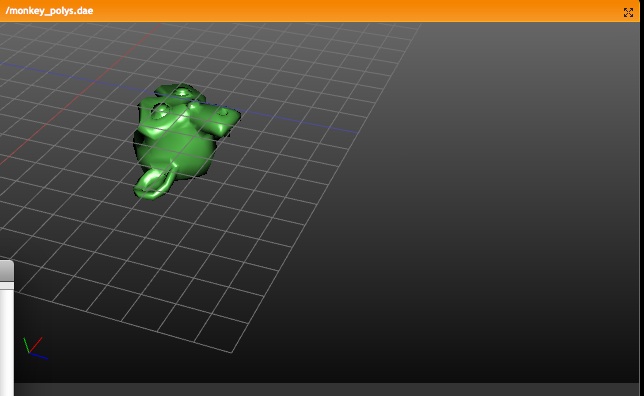
In a quick glance: (temp image)
http://www.blender.org/bf/rt.png

Main reason is that Lattices are useful a lot for Armature deformation.
Lattices just provide much more precise and interesting control. However,
with only bone envelopes it's very hard to use.

Working with Lattice vertex groups is nearly identical to Mesh:
- on CTRL+P 'make parent' you can choose the deform option now
- In editmode, the buttons to control vertex groups are available
- In outliner you can select vertexgroups too
- Deforming Lattices with Armatures has all options as for Mesh now.

Note:
- No WeightPaint has been added yet. To compensate, the editmode
  drawing for a Lattice with vertex group shows weight values for the active
  vertex group.
- Lattice editmode doesn't undo/redo weight editing yet.
- Softbody for Lattice still uses own vertex weights

Implementation notes:
- derivedmesh weight_to_rgb() is now exported to drawobject.c
- been doing cleanups in code (order of includes, var declarations, etc)
- weightpaint button handling now is generic

I've checked on Brecht's proposal for Custom Element data;
http://mediawiki.blender.org/index.php/BlenderDev/CustomElementData
It could have been used, but that would mean the existing code for
vertexgroup handling and armature deform couldn't be re-used. I guess this
is really a later todo.
exception of the clone tool.

One level undo for image- and texturepaint, only storing those tiles
that changed.

Test to improve texturepaint performance using glTexSubImage2D, only
enabled with 2^n sized textures and mipmapping off. Painting a 2048x2048
texture is then pretty smooth here, as long as the geometry is not too
complex.
- buffer overflow was possible with providing a file path argument longer
  than 256 characters.
- buttons "VCol Light" and "VCol Paint" were not mutual exclusive
- quicktime error menu (unable to create) had a enter in end
- deleting points in CurveMapping button (like Curves node in compositor)
  did not give proper recalc event
- edges render menu had a tooltip still mentioning the unified render
- ImagePaint now uses ImBuf directly, and the rect blending functions
  were moved into the imbuf module.
- The brush spacing, timing and sampling was abstracted into brush.c, for
  later reuse in other paint modes.

Float ImagePaint support.

Textured Brushes:
- Only the first texture channel is used now.
- Options for size and offset should be added, but need to find some space
  in the panel, or add a second one ..
- Code for brush spacing and timing was rewritten, making spacing more even.
  Example: http://users.pandora.be/blendix/brush_spacing.jpg
- Instead of Stepsize for regular brushes and Flow for airbrushes, there is
  now Spacing for both, and Rate for airbrushes.
- Airbrush now works more like it does in the Gimp now, by maintaining the
  spacing even if the brush moves faster than the painting rate.

- Some preparations to make brushes work in texture paint mode.
AO option "Use Distances" does not work for colored AO, only for "Plain".
I've added this info in tooltip, and added event that resets the color
option for AO when "Use Distances" pressed.
- removed "Unified" button, replaced with "HD" preset for 1920x1080 output
- removed the unused "Pass" options
- removed the unused "Strands" render-layer option

Because the internal render pipe supports this already; added two more
render-layer options:

- "Sky", to enable/disable sky render in a layer (this was part of "Solid"
  before, not so correct... to ensure previously saved files work, the
  "Sky" option is set by default when "Solid" was set. The version patching
  will do this temporally always, until we've bumped up version to 2.42
- "Edge", to enable/disable edge render in a layer. Nice for compositing.

Also in this commit: fixed warnings for exported functions for the new
Node Editor pull-down menus.
Nkey "Properties Panel" now has Dimension ("Dim") buttons too.
This reads from the actual bounding box value to see the size. Note that
dimensions for animated & deformed objects will change per frame.

(Cleaned up buttons layout for patch, and added support for Curve, Text and
Surface objects)
New Constraint API.  Constraints are accessible through a "constraints"
attribute in poses and objects.  Would be REALLY NICE for armature users to
pound on this code.
issues in parallel... So this commit contains: an update of
the solver (e.g. moving objects), integration of blender IPOs,
improved rendering (motion blur, smoothed normals) and a first particle
test. In more detail:
Solver update:
- Moving objects using a relatively simple model, and not yet fully optimized - ok
for box falling into water, water in a moving glass might cause trouble. Simulation
times are influenced by overall no. of triangles of the mesh, scaling meshes up a lot
might also cause slowdowns.
- Additional obstacle settings: noslip (as before), free slip (move along wall freely)
and part slip (mix of both).
- Obstacle settings also added for domain boundaries now, the six walls of the domain are
obstacles after all as well
- Got rid of templates, should make compiling for e.g. macs more convenient,
for linux there's not much difference. Finally got rid of parser (and some other code
parts), the simulation now uses the internal API to transfer data.
- Some unnecessary file were removed, the GUI now needs 3 settings buttons...
This should still be changed (maybe by adding a new panel for domain objects).
IPOs:
- Animated params: viscosity, time and gravity for domains. In contrast
to normal time IPO for Blender objects, the fluidsim one scales the time
step size - so a constant 1 has no effect, values towards 0 slow it down,
larger ones speed the simulation up (-> longer time steps, more compuations).
The viscosity IPO is also only a factor for the selected viscosity (again, 1=no effect).
- For objects that are enabled for fluidsim, a new IPO type shows up. Inflow
objects can use the velocity channels to animate the inflow. Obstacles, in/outflow
objects can be switched on (Active IPO>0) and off (<0) during the simulation.
- Movement, rotation and scaling of those 3 types is exported from the normal
Blender channels (Loc,dLoc,etc.).
Particles:
- This is still experimental, so it might be deactivated for a
release... It should at some point be used to model smaller splashes,
depending on the the realworld size and the particle generation
settings particles are generated during simulation (stored in _particles_X.gz
files).
- These are loaded by enabling the particle field for an arbitrary object,
which should be given a halo material. For each frame, similar to the mesh
loading, the particle system them loads the simulated particle positions.
- For rendering, I "abused" the part->rt field - I couldnt find any use
for it in the code and it seems to work fine. The fluidsim particles
store their size there.
Rendering:
- The fluidims particles use scaled sizes and alpha values to give a more varied
appearance. In convertblender.c fluidsim particle systems use the p->rt field
to scale up the size and down the alpha of "smaller particles". Setting the
influence fields in the fluidims settings to 0 gives equally sized particles
with same alpha everywhere. Higher values cause larger differences.
- Smoothed normals: for unmodified fluid meshes (e.g. no subdivision) the normals
computed by the solver are used. This is basically done by switching off the
normal recalculation in convertblender.c (the function calc_fluidsimnormals
handles other mesh inits instead of calc_vertexnormals).
This could also be used to e.g. modify mesh normals in a modifier...
- Another change is that fluidsim meshes load the velocities computed
during the simulation for image based motion blur. This is inited in
load_fluidsimspeedvectors for the vector pass (they're loaded during the
normal load in DerivedMesh readBobjgz). Generation and loading can be switched
off in the settings. Vector pass currently loads the fluidism meshes 3 times,
so this should still be optimized.
Examples:
- smoothed normals versus normals from subdividing once:
http://www10.informatik.uni-erlangen.de/~sinithue/temp/v060227_1smoothnorms.pnghttp://www10.informatik.uni-erlangen.de/~sinithue/temp/v060227_2subdivnorms.png
- fluidsim particles, size/alpha influence 0:
http://www10.informatik.uni-erlangen.de/~sinithue/temp/v060227_3particlesnorm.png
size influence 1:
http://www10.informatik.uni-erlangen.de/~sinithue/temp/v060227_4particlessize.png
size & alpha influence 1:
http://www10.informatik.uni-erlangen.de/~sinithue/temp/v060227_5particlesalpha.png
- the standard drop with motion blur and particles:
http://www10.informatik.uni-erlangen.de/~sinithue/temp/elbeemupdate_t2new.mpg
(here's how it looks without
http://www10.informatik.uni-erlangen.de/~sinithue/temp/elbeemupdate_t1old.mpg)
- another inflow animation (moving, switched on/off) with a moving obstacle
(and strong mblur :)
http://www10.informatik.uni-erlangen.de/~sinithue/temp/elbeemupdate_t3ipos.mpg
Things still to fix:
- rotating & scaling domains causes wrong speed vectors
- get rid of SDL code for threading, use pthreads as well?
- update wiki documentation
- cool effects for rendering would be photon maps for caustics,
and motion blur for particles :)
At long last!
This new constraint is pretty simple. Following in the footsteps of such giants as Copy Loc and Copy Rot, it lets you constrain the size of an object/bone to another object/bone, with per axis restrictions.
- Texture Node
Allows to use any Blender Texture block as input for masks or color
blending. The texture node doesn't generate a real image, but adjusts to
the size as mapped with during an operation. So it won't work to use it
as Image input for Blur or Filter nodes.

Note; the Vector inputs for this node only work with manual input now!

- Translation Node
Give any image an offset in X or Y direction

For the Texture node to work, I needed to move the central 'pixel
processor' up one level... to allow differently sized images to merge
and allow 'procedural images' without size.

Temporal image of the day: http://www.blender.org/bf/rt.jpg
- Mark Border Seam: mark edges on the border of face selection as seam.
- Clear Seam: clears seams in selected faces.
Hotkey: Ctrl+E

- Alt+RMB Click: mark/clear edge as seam
- Alt+Shift+RMB Click: mark/clear seams along the shortest/straightest path
  from last marked seam. The cost of the path also includes some measure of
  'straightness' next to the typical distance to make things work more
  predicatble and edgeloop friendly. Note that this cuts a path from edge to
  edge, not vertex to vertex. That gives some nice control over the direction
  of the seam.

Also includes:

- Removed old LSCM code.
- Fix updates glitches with DerivedMesh/Subsurf drawing in FaceSelect mode.
  Now there's a drawMappedFacesTex instead of drawFacesTex.
- Minimize Stretch menu entry called Limit Stitch.
- Removed the lasttface global, was being set before it was used anyway, so
  might as wel return from a function.
- Moved some backbuf sampling code to drawview.c from editmesh, so it can be
  used by Faceselect and VPaint.
- Use BLI_heap in parametrizer.c.
- Set local sticky in the uv editor as default.
- Don't do live unwrap on fully selected charts or charts with no pins
  selected.
- Fixed bug with live unwrap not respecting transform cancel in some cases.
- "View Home" didn't work without an image.
- Move UV Calculation settings (cube size, cylinder radius, ..) into the scene
  toolsettings, instead of global variables
- Remove the name LSCM from the UI (and python docs on seams), and replace it
  with 'Unwrap', with upcoming ABF this didn't make sense anymore.
- Move the Old/New LSCM switch into the UV Calculation panel. New LSCM is the
  default now. Also renamed LSCM there to "Conformal".
- Made some room in the UV Calculation panel by removing the buttons to execute
  the UV calculation, only leaving the settings.

Fill Holes:

- LSCM now has an option to fill holes in the chart before unwrapping. This on
  by default, and enables two things:
  - Prevent internal overlaps (e.g. eyes, mouth) for LSCM unwrapping.
  - Allow the internal boundaries to move freely during stretch minimize.
- The possibility to switch it off is there because it is not always possible
  to define which the outer boundary is. For example with an open cylinder
  where there are two identical holes.
extern/bullet/BulletDynamics/ConstraintSolver/SimpleConstraintSolver.h
        added newline at end of file.
 intern/boolop/intern/BOP_Face2Face.cpp
        fixed indentation and had nested declarations of a varible i used
                for multiple for loops, changed it to just one declaration.
 source/blender/blenkernel/bad_level_call_stubs/stubs.c
        added prototypes and a couple other fixes.
 source/blender/include/BDR_drawobject.h
 source/blender/include/BSE_node.h
 source/blender/include/butspace.h
 source/blender/render/extern/include/RE_shader_ext.h
        added struct definitions
 source/blender/src/editmesh_mods.c
 source/gameengine/Ketsji/KX_BlenderMaterial.cpp
 source/gameengine/Ketsji/KX_ConvertPhysicsObjects.cpp
 source/gameengine/Ketsji/KX_RaySensor.cpp
        removed unused variables;
 source/gameengine/GameLogic/Joystick/SCA_Joystick.cpp
        changed format of case statements to avoid warnings in gcc.

Kent
system tracking changes in nodes, making sure only these nodes and
the ones that depend, are executed.

Further the 'time cursor' now counts down to indicate which node is being
done.

Also: you now can disable the "use nodes" button in the header, edit all
changes, and when you press that button again it nicely executes the
changes.

Still on the todo:
- make compositing threaded
- find a way to nicely exit compositing on input events... so the UI
  keeps being responsive
- idea; a 'percentage' menu in header to enforce calculations on smaller
  images temporally
-> Rendering in RenderLayers
It's important to distinguish a 'render layer' from a 'pass'. The first is
control over the main pipeline itself, to indicate what geometry is being
is rendered. The 'pass' (not in this commit!) is related to internal
shading code, like shadow/spec/AO/normals/etc.
Options for RenderLayers now are:
- Indicate which 3d 'view layers' have to be included (so you can render
front and back separately)
- "Solid", all solid faces, includes sky at the moment too
- "ZTransp", all transparent faces
- "Halo", the halos
- "Strand", the particle strands (not coded yet...)
Currently only 2 'passes' are exported for render, which is the "Combined"
buffer and the "Z. The latter now works, and can be turned on/off.
Note that all layers are still fully kept in memory now, saving the tiles
and layers to disk (in exr) is also todo.
-> New Blur options
The existing Blur Node (compositor) now has an optional input image. This
has to be a 'value buffer', which can be a Zbuffer, or any mask you can
think of. The input values have to be in the 0-1 range, so another new
node was added too "Map Value".
The value input can also be used to tweak blur size with the (todo)
Time Node.
Temporal screenies:
http://www.blender.org/bf/rt.jpghttp://www.blender.org/bf/rt1.jpghttp://www.blender.org/bf/rt2.jpg
BTW: The compositor is very slow still, it recalulates all nodes on each
change still. Persistant memory and dependency checks is coming!
A full detailed description of this will be done later... is several days
of work. Here's a summary:

Render:
- Full cleanup of render code, removing *all* globals and bad level calls
  all over blender. Render module is now not called abusive anymore
- API-fied calls to rendering
- Full recode of internal render pipeline. Is now rendering tiles by
  default, prepared for much smarter 'bucket' render later.
- Each thread now can render a full part
- Renders were tested with 4 threads, goes fine, apart from some lookup
  tables in softshadow and AO still
- Rendering is prepared to do multiple layers and passes
- No single 32 bits trick in render code anymore, all 100% floats now.

Writing images/movies
- moved writing images to blender kernel (bye bye 'schrijfplaatje'!)
- made a new Movie handle system, also in kernel. This will enable much
  easier use of movies in Blender

PreviewRender:
- Using new render API, previewrender (in buttons) now uses regular render
  code to generate images.
- new datafile 'preview.blend.c' has the preview scenes in it
- previews get rendered in exact displayed size (1 pixel = 1 pixel)

3D Preview render
- new; press Pkey in 3d window, for a panel that continuously renders
  (pkey is for games, i know... but we dont do that in orange now!)
- this render works nearly identical to buttons-preview render, so it stops
  rendering on any event (mouse, keyboard, etc)
- on moving/scaling the panel, the render code doesn't recreate all geometry
- same for shifting/panning view
- all other operations (now) regenerate the full render database still.
- this is WIP... but big fun, especially for simple scenes!

Compositor
- Using same node system as now in use for shaders, you can composit images
- works pretty straightforward... needs much more options/tools and integration
  with rendering still
- is not threaded yet, nor is so smart to only recalculate changes... will be
  done soon!
- the "Render Result" node will get all layers/passes as output sockets
- The "Output" node renders to a builtin image, which you can view in the Image
  window. (yes, output nodes to render-result, and to files, is on the list!)

The Bad News
- "Unified Render" is removed. It might come back in some stage, but this
  system should be built from scratch. I can't really understand this code...
  I expect it is not much needed, especially with advanced layer/passes
  control
- Panorama render, Field render, Motion blur, is not coded yet... (I had to
  recode every single feature in render, so...!)
- Lens Flare is also not back... needs total revision, might become composit
  effect though (using zbuffer for visibility)
- Part render is gone! (well, thats obvious, its default now).
- The render window is only restored with limited functionality... I am going
  to check first the option to render to a Image window, so Blender can become
  a true single-window application. :)
  For example, the 'Spare render buffer' (jkey) doesnt work.
- Render with border, now default creates a smaller image
- No zbuffers are written yet... on the todo!
- Scons files and MSVC will need work to get compiling again

OK... thats what I can quickly recall. Now go compiling!
- F10 scene buttons now has options "half" and "zbuf" for exr saving.
  Note: when no float buffer is available, it always saves as "half",
  that's sufficient anyway, since half is 16 bits per channel.

- EXR in imbuf now uses compliant ibuf->ftype flags for denoting exr
  extensions such as 'half' and 'compression'.

- Removed ugly blenkernel dependency from exr module
Credits go to Gernot Ziegler, who originally coded EXR support, and to
Austin  Benesh for bringing it further. Kent Mein provided a lot of code
for integrating float buffers in Blender imbuf and ImBuf API cleanup,
and provided Make and Scons and static linking.

At this moment; the EXR libraries are a *dependency*, so you cannot get
the Orange branch compiled without having OpenEXR installed. Get the
(precompiled or sources) stuff from www.openexr.com. Current default is
that the headers and lib resides in /user/local/

Several changes/additions/fixes were added:

- EXR code only supported 'half' format (16 bits per channel). I've added
  float writing, but for reading it I need tomorrow. :)
- Quite some clumsy copying of data happened in EXR code.
- cleaned up the api calls already a bit, preparing for more advanced
  support
- Zbuffers were saved 16 bits, now 32 bits
- automatic adding of .exr extensions went wrong

Imbuf:

- added proper imbuf->flags and imbuf->mall support for float buffers, it
  was created for *each* imbuf. :)
- found bugs for float buffers in scaling and flipping. Code there will
  need more checks still
- imbuf also needs to be verified to behave properly when no 32 bits
  rect exists (for saving for example)

TODO:

- support internal float images for textures, backbuf, AO probes, and
  display in Image window

Hope this commit won't screwup syncing with bf-blender... :/
- New UI element: the "Curve Button".

For mapping ranges (like 0 - 1) to another range, the curve button can be
used for proportional falloff, bone influences, painting density, etc.
Most evident use is of course to map RGB color with curves.

To be able to use it, you have to allocate a CurveMapping struct and pass
this on to the button. The CurveMapping API is in the new C file
blenkernel/intern/colortools.c
It's as simple as calling:

   curvemap= curvemapping_add(3, 0, 0, 1, 1)

Which will create 3 curves, and sets a default 0-1 range. The current code
only supports up to 4 curves maximum per mapping struct.
The CurveMap button in Blender than handles allmost all  editing.
Evaluating a single channel:

   float newvalue= curvemapping_evaluateF(curvemap, 0, oldval);

Where the second argument is the channel index, here 0-1-2 are possible.
Or mapping a vector:

   curvemapping_evaluate3F(curvemap, newvec, oldvec);

Optimized versions for byte or short mapping is possible too, not done yet.

In butspace.c I've added a template wrapper for buttons around the curve, to
reveil settings or show tools; check this screenie:

http://www.blender.org/bf/curves.jpg

- Buttons R, G, B: select channel
- icons + and -: zoom in, out
- icon 'wrench': menu with tools, like clear curve, set handle type
- icon 'clipping': menu with clip values, and to dis/enable clipping
- icon 'x': delete selection

In the curve button itself, only LMB clicks are handled (like all UI elements
in Blender).

- click on point: select
- shift+click on point: swap select
- click on point + drag: select point (if not selected) and move it
- click outside point + drag: translate view
- CTRL+click: add new point
- hold SHIFT while dragging to snap to grid
  (Yes I know... either one of these can be Blender compliant, not both!)
- if you drag a point exactly on top of another, it merges them

Other fixes:

- Icons now draw using "Safe RasterPos", so they align with pixel boundary.
  the old code made ints from the raster pos coordinate, which doesn't work
  well for zoom in/out situations

- bug in Node editing: buttons could not get freed, causing in memory error
  prints at end of a Blender session. That one was a very simple, but nasty
  error causing me all evening last night to find!
  (Hint; check diff of editnode.c, where uiDoButtons is called)

Last note: this adds 3 new files in our tree, I did scons, but not MSVC!
First note; this is a WIP project, some commits might change things that
make formerly saved situations not to work identically... like now!

------ New Material integration ------

Until now, the Node system worked on top of the 'current' Material, just
like how the Material Layers worked. That's quite confusing in practice,
especially to see what Material is a Node, or what is the "base material"

Best solution is to completely separate the two. This has been implemented
as follows now;

- The confusing "Input" node has been removed.
- When choosing a Material in Blender, you can define this Material to be
  either 'normal' (default) or be the root of a Node tree.
- If a Material is a Node tree, you have to add Nodes in the tree to see
  something happen. An empty Node tree doesn't do anything (black).
- If a Material is a Node Tree, the 'data browse' menus show it with an
  'N' mark before the name. The 'data block' buttons display it with the
  suffix 'NT' (instead of 'MA').
- In a Node Tree, any Material can be inserted, including itself. Only in
  that case the Material is being used itself for shading.

UI changes:

Added a new Panel "Links", which shows:
- where the Material is linked to (Object, Mesh, etc)
- if the Material is a NodeTree or not
- the actual active Material in the Tree

The "Node" Panel itself now only shows buttons from the other nodes, when
they are active.

Further the Material Nodes themselves allow browsing and renaming or adding
new Materials now too.

Second half of today's work was cleaning up selection when the Nodes
overlap... it was possible to drag links from invisible sockets, or click
headers for invisible nodes, etc. This because the mouse input code was
not checking for visibility yet.
Works now even for buttons. :)
********* Node editor work:

- To enable Nodes for Materials, you have to set the "Use Nodes"
  button, in the new Material buttons "Nodes" Panel or in header
  of the Node editor. Doing this will disable Material-Layers.

- Nodes now execute materials ("shaders"), but still only using the
  previewrender code.

- Nodes have (optional) previews for rendered images.

- Node headers allow to hide buttons and/or preview image

- Nodes can be dragged larger/smaller (right-bottom corner)

- Nodes can be hidden (minimized) with hotkey H

- CTRL+click on an Input Socket gives a popup with default values.

- Changing Material/Texture or Mix node will adjust Node title.

- Click-drag outside of a Node changes cursor to "Knife' and allows to
  draw a rect where to cut Links.

- Added new node types RGBtoBW, Texture, In/Output, ColorRamp

- Material Nodes have options to ouput diffuse or specular, or to use
  a negative normal. The input socket 'Normal' will force the material
  to use that normal, otherwise it uses the normal from the Material
  that has the node tree.

- When drawing a link between two not-matching sockets, Blender inserts
  a converting node (now only for value/rgb combos)

- When drawing a link to an input socket that's already in use, the
  old link will either disappear or flip to another unused socket.

- A click on a Material Node will activate it, and show all its settings
  in the Material Buttons. Active Material Nodes draw the material icon
  in red.

- A click on any node will show its options in the Node Panel in the
  Material buttons.

- Multiple Output Nodes can be used, to sample contents of a tree, but
  only one Output is the real one, which is indicated in a different
  color and red material icon.

- Added ThemeColors for node types

- ALT+C will convert existing Material-Layers to Node... this currently
  only adds the material/mix nodes and connects them. Dunno if this is
  worth a lot of coding work to make perfect?

- Press C to call another "Solve order", which will show all possible
  cyclic conflicts (if there are).

- Technical: nodes now use "Type" structs which define the
  structure of nodes and in/output sockets. The Type structs store all
  fixed info, callbacks, and allow to reconstruct saved Nodes to match
  what is required by Blender.

- Defining (new) nodes now is as simple as filling in a fixed
  Type struct, plus code some callbacks. A doc will be made!

- Node preview images are by default float

********* Icon drawing:

- Cleanup of how old icons were implemented in new system, making
  them 16x16 too, correctly centered *and* scaled.

- Made drawing Icons use float coordinates

- Moved BIF_calcpreview_image() into interface_icons.c, renamed it
  icon_from_image(). Removed a lot of unneeded Imbuf magic here! :)

- Skipped scaling and imbuf copying when icons are OK size


********* Preview render:

- Huge cleanup of code....

- renaming BIF_xxx calls that only were used internally

- BIF_previewrender() now accepts an argument for rendering method,
  so it supports icons, buttonwindow previewrender and node editor

- Only a single BIF_preview_changed() call now exists, supporting all
  signals as needed for buttos and node editor


********* More stuff:

- glutil.c, glaDrawPixelsSafe() and glaDrawPixelsTex() now accept format
  argument for GL_FLOAT rects

- Made the ColorBand become a built-in button for interface.c
  Was a load of cleanup work in buttons_shading.c...

- removed a load of unneeded glBlendFunc() calls

- Fixed bug in calculating text length for buttons (ancient!)
This is the case:

- Empty has Group duplicator
- Empty has NLA strips to animate the group

On linking the Empty to another group (with button in ObjectButtons), it
checks for the current strips in NLA, and tries to find the proper objects
in the new Group, based on name matches.
If not found, it sets the strip-objects to zero.
Previous experiment (in 2000) didn't satisfy, it had even some primitive
NLA option in groups... so, cleaned up the old code (removed most) and
integrated it back in a more useful way.

Usage:
- CTRL+G gives menu to add group, add to existing group, or remove from
  groups.
- In Object buttons, a new (should become first) Panel was added, showing
  not only Object "ID button" and Parent, but also the Groups the Object
  Belongs to. These buttons also allow rename, assigning or removing.
- To indicate Objects are grouped, they're drawn in a (not theme yet, so
  temporal?) green wire color.
- Use ALT+SHIFT mouse-select to (de)select an entire group

But, the real power of groups is in the following features:

-> Particle Force field and Guide control
In the "Particle Motion" Panel, you can indicate a Group name, this then
limits force fields or guides to members of that Group. (Note that layers
still work on top of that... not sure about that).

-> Light Groups
In the Material "Shaders" Panel, you can indicate a Group name to limit
lighting for the Material to lamps in this group. The Lights in a Group do
need to be 'visible' for the Scene to be rendered (as usual).

-> Group Duplicator
In the Object "Anim" Panel, you can set any Object (use Empty!) to
duplicate an entire Group. It will make copies of all Objects in that Group.
Also works for animated Objects, but it will copy the current positions or
deforms. Control over 'local timing' (so we can do Massive anims!) will be
added later.
(Note; this commit won't render Group duplicators yet, a fix in bf-blender
will enable that, next commit will sync)

-> Library Appending
In the SHIFT-F1 or SHIFT+F4 browsers, you can also find the Groups listed.
By appending or linking the Group itself, and use the Group Duplicator, you
now can animate and position linked Objects. The nice thing is that the
local saved file itself will only store the Group name that was linked, so
on a next file read, the Group Objects will be re-read as stored (changed)
in the Library file.
(Note; current implementation also "gives a base" to linked Group Objects,
to show them as Objects in the current Scene. Need that now for testing
purposes, but probably will be removed later).

-> Outliner
Outliner now shows Groups as optio too, nice to organize your data a bit too!

In General, Groups have a very good potential... for example, it could
become default for MetaBall Objects too (jiri, I can help you later on how
this works). All current 'layer relationships' in Blender should be dropped
in time, I guess...
(WIP, don't bugs for this in tracker yet please!)

- New Panel "Layers" in Material buttons, allows to add unlimited amount
  of materials on top of each other.
- Every Layer is actually just another Material, which gets rendered/shaded
  (including texture), and then added on top of previous layer with an
  operation like Mix, Add, Mult, etc.
- Layers render fully independent, so bumpmaps are not passed on to next
  layers.
- Per Layer you can set if it influences Diffuse, Specular or Alpha
- If a Material returns alpha (like from texture), the alpha value is
  used for adding the layers too.
- New texture "Map To" channel allows to have a texture work on a Layer
- Each layer, including basis Material, can be turned on/off individually

Notes:

- at this moment, the full shading pass happens for each layer, including
  shadow, AO and raytraced mirror or transparency...
- I had to remove old hacks from preview render, which corrected reflected
  normals for preview texturing.
- still needs loadsa testing!
While investigating alternative filters (Mitchell), I found two small
errors in the Gauss code, it clipped wrong and multiplied wrong, causing
settings other than filter size 1.0 to not work properly.

Took the last-minute liberty to add more filter types in Blender too.
Also wrote an extensive log about how sampling & filtering in Blender
works.

http://www.blender3d.org/cms/Samples_and_Filtering.723.0.html
http://www.blender3d.org/cms/New_Particle_options_a.721.0.html

There's no doubt this patch had a lot of good ideas for features, and I
want to compliment Janne again for getting it all to work even!
A more careful review of the features and code did show however quite some
flaws and bugs... partially because the current particle code was very much
polluted already, but also because of the implementation lacked quality.
However, the patch was too good to reject, so I've fixed and recoded the
parts that needed it most. :)

Here's a list of of most evident changes in the patch;

- Guides support recoded. It was implemented as a true 'force field',
  checking all Curve path points for each particle to find the closest. Was
  just far too slow, and didn't support looping or bends well.
  The new implementation is fast (real time) and treats the paths as actual
  trajectory for the particle.
- Guides didn't integrate in the physics/speed system either, was added as
  exception. Now it's integrated and can be combined with other velocities
  or forces
- Use of Fields was slow code in general, made it use a Cache instead.
- The "even" distribution didn't work for Jittered sample patterns.
- The "even" or "vertexgroup" code in the main loops were badly constructed,
  giving too much cpu for a simple task. Instead of going over all faces
  many times, it now only does it once.
  Same part of the code used a lot of temporal unneeded mallocs.
- Use of DerivedMesh or Mesh was confused, didn't work for Subsurfs in all
  cases
- Support for vertex groups was slow, evaluating vertexgroups too often
- When a vertexgroup failed to read, it was wrongly handled (set to zero).
  VertexGroup support now is with a name.
- Split up the too huge build_particle() call in some parts (moving new code)
- The "texture re-timing" option failed for moving Objects. The old code used
  the convention that particles were added with increasing time steps.
  Solved by creating a object Matrix Cache.
  Also: the texture coordinates had to be corrected to become "OrCo".
- The "Disp" option only was used to draw less particles. Changed it to
  actually calculate fewer particles for 3D viewing, but render all still.
  So now it can be used to keep editing realtime.

Removed;

The "speed threshold" and "Tight" features were not copied over. This
resembled too much to feature overkill. Needs re-evaluation.
Also the "Deform" option was not added, I prefer to first check if the
current particle system really works for the Modifier system.

And:

- Added integration for particle force fields in the dependency graph
- Added TAB completion for vertexgroup names!
- Made the 'wait cursor' only appear when particles take more than 0.5 sec
- The particle jitter table order now is randomized too, giving much
  nicer emitting of particles in large faces.
- Vortex field didn't correctly use speed/forces, so it didn't work for
  collisions.
- Triangle distribution was wrong
- Removed ancient bug that applied in a *very* weird way speed and forces.
  (location changes got the half force, speed the full...???)

So much... might have forgotten some notes! :)
DXF: when an error message occurs during read, the main call returned
without clearing the used global vars... causing crash on calling again.

ALso: added warning when trying to assign a taper or bevel using Object
itself. (report from opengl tracker :)
He noted that static particles don't work with force fields yet, and
added a fix for it. This however didn't work for the depgraph yet, and
didn't correct the static particle's local space to world coordinates for
the fields. Nevertheless, while reviewing this small patch I thought it
would be fun to add now.

So: static particles now update realtime on forcefield relations. Warning
for potential slowdowns! Also note that work on the real particle patch
still has to be done... something I really will do, but in time. To get
particles correctly integrated in the animation system, quite some new
development has to be done still.
1) Stride Bone

For walkcycles, you could already set an NLA strip to cycle over a path
based on a preset distance value. This cycling happens based on a linear
interpolation, with constant speed.
Not all cycles have a constant speed however, like hopping or jumping.
To ensure a perfect slipping-less foot contact, you now can set a Bone
in an Armature to define the stride. This "Stride Bone" then becomes a
sort-of ruler, a conveyor belt, on which the character walks. When using
the NLA "Use Path" option, it then tries to keep the Stride Bone entirely
motionless on the path, by cancelling out its motion (for the entire
Armature). This means that the animation keys for a Stride Bone have to be
exactly negative of the desired path. Only, at choice, the X,Y or Z Ipo
curve is used for this stride.

Examples:

http://www.blender.org/bf/0001_0040.avi
The top armature shows the actual Action, the bottom armature has been
parented to a Path, using the Stride Bone feature.

http://www.blender.org/bf/0001_0080.avi
Here the Stride Bone has a number of children, creating a ruler to be
used as reference while animating.

Test .blend:
http://www.blender.org/bf/motionblender1.blend

Notes:
- Note that action keys for Bones work local, based on the Bone's
  orientation as set in EditMode. Therefore, an Y translation always
  goes in the Bone's direction.
- To be able to get a "solvable" stride, the animation curve has
  to be inverse evaluated, using a Newton Raphson root solver. That
  means you can only create stride curves that keep moving forward, and
  cannot return halfway.
- Set the Stride Bone in the Editing Buttons, Bone Panel. You can set
  change the name or set the axis in the NLA Window, Strip Properties Panel.
- Files in this commit will move to the blender.org release section.

2) Armature Ghosting

In EditButtons, Armature Panel, you can set an armature to draw ghosts.
The number value denotes the amount of frames that have to be drawn extra
(for the active action!) around the current frame.
Ghosts only evaluate its own Pose, executing it's Actions, Constraints and
IK. No external dependencies are re-evaluated for it.

3) NLA/Action time control

If you click in the NLA window on the action (linked to Object), it makes
sure the Timing as drawn in the Action editor is not corrected for NLA.
If you also set the Object to "Action", this timing will be executed on the
Object as well (not NLA time).
(It's a bit confusing... will make a good doc & maybe review UI!)
Just fill in the name of a Vertex group in the Shape Panel, and this
Shape will then become blended with the reference Shape.

It is useful for example for a symmetrical modeled head, make a
copy of that Shape, and use two Vertex Groups to make it asymetric.
Of course the Shapes update nicely while Weight Painting.

Also new; since the Vertex group names reside on Object level, you might
want to copy these names to the other Objects that have the same Mesh.
That's a new button "Copy to Linked" in the first Edit Panel.
User doc: http://www.blender3d.org/cms/Shape_Keys.678.0.html

- The mixed use of "Vertex Key","Key" or "RVK" in Blender was a bit
confusing. Also a 'vertex key' assumes keys per vertex, which actually is
only a single key for the entire shape. The discussions on blender.org
forums all mentioned "Shape" or "Blend Shapes", which I think is an OK
name for a "Vertex Key" in the UI. :)

- Most work was code spaghetti cleanup. Doing shape-keys now nicely goes
via the depgraph and DerivedMesh. That then allows to have different
shapes per object, with the new "Pin" feature.
Objects now define what Shape is shown (ob->shapenr)

- Added a Shape Panel in the Edit buttons with the various options

- Fixed a lot of issues in the IpoWindow, with drawing the channels.
For example, deleting a key-line there caused the entire Relative option to
go wrong, same for moving the lines up/down.
Changing key-line order now reflects in order of channels. The active
Shape is drawn more clear now too.

- Noticed it doesnt work yet for curves/lattice. Need modifier advise!
There we can find now Particles, Fields & deflectors, Soft Body and Fluids.
This also as preparation for more work on the particle side (becomes two
panels).

Also renamed panels, and made sure the name "Soft Body" is spelled every-
where the same!

It uses an icon as was designed long ago already. Needs some thinking...
Further information is available here:

http://wiki.blender.org/bin/view.pl/Blenderdev/UnicodeFont3D

Shortlist of features:

- Unicode character support for Font3D
- UI to select characters from Unicode character list
- UI to select Unicode table areas
- Optimized character loading (Load only those characters which are used
  in font object)

Please test extensively if it breaks anything, try also loading/saving
files, packing fonts, etc.

The official text regression file in the regression suite should be a
good start.

Thanks to mikasaari for this very useful addition!
Minor modifications to simplify the code in evaluate_constraint.

The "Stick" feature will need more work as it gives bad results when skipping frames, jumping around on the timeline and when going backward in time.

Suggestion: Would be nice if it could use the local space too, not just global space planes.
- "Flush" is now split into two seperate Alignment modes "Flush" and
   "Justify":

   - Justify does exactly the same as a normal word processor's justify
     function does, and in addition, it uses *whitespace* instead of
     *character spacing* (kerning) to fill lines. Much more readable.

   - Flush is pretty much the old Blender "Flush" mode - and as such it
     uses character spacing to fill lines. Just as Justify, this only
     works with at least one textframe.

 - Underlining for text objects. Not a lot to explain. New button "U" in
   the editbuttons, and CTRL-U as hotkey toggle underlining for newly
   entered characters or for the selection, just like CTRL-B/CTRL-I do for
   bold/italic.

   Underline height (thickness) and Underline position (vertical) can be
   set in the editbuttons.

   Implemented as CU_POLY polygon curves.

 - The B, U and i buttons (and the corresponding CTRL-B/U/I keystrokes)
   have been fixed to only affect *one* attribute at a time. Formerly,
   hitting CTRL-B when no other style was active, on a text portion with
   italics text, for example, would kill the italics and just apply bold.

   Now, these attributes always add or substract only, but do not
   replace the style.

 - In the past, there were bugs with material indices uninitialized, and
   thus crashes in the renderer with illegal material indices.

   Even though I assume they have been fixed, I've put in a check that
   checks (hah) if the material index of a character is illegal (bigger
   than ob->totcol), and then sets it to zero, and spits out a warning
   on stderr.

   If you see such warnings, please report and link to the .blend.

 - Bugfix: All alignment modes only worked if there were at least *two*
   lines of text in the text object. Fixed


There's now a regression test file for text objects, please add to the
corresponding repository:

http://blender.instinctive.de/downloads/release/demo/text-regression.blend.gz
Best is to forget yesterday's commit and old docs. New docs are underway...

Here's how IK works now;

- IK chains can go all the way to the furthest parent Bone. Disregarding
  the old option "IK to Parent" and disgregarding whether a Bone has an
  offset to its parent (offsets now work for IK, so you can also make
  T-bones).
- The old "IK to Parent" option now only does what it should do: it denotes
  whether a Bone is directly connected to a Parent Bone, or not.
  In the UI and in code this option is now called "Connected".
- You can also define yourself which Bone will become the "Root" for an IK
  chain. This can be any Parent of the IK tip (where the IK constraint is).
  By default it goes all the way, unless you set a value for the new IK
  Constraint Panel option "Chain Lenght".
- "Tree IK" now is detected automatic, when multiple IK Roots are on the
  same Bone, and when there's a branched structure.
  Multiple IK's on a single chain (no branches) is still executed as usual,
  doing the IK's sequentially.
- Note: Branched structures, with _partial_ overlapping IK chains, that don't
  share the same Root will possibly disconnect branches.
- When you select a Bone with IK, it now draws a yellow dashed line to its
  Root.
- The IK options "Location Weight" and "Rotation Weight" are relative,
  in case there's a Tree IK structure. These weights cannot be set to
  zero. To animate or disable IK Targets, use the "Influence" slider.
- This new IK is backwards and upwards compatible for Blender files.
  Of course, the new features won't show in older Blender binaries! :)

Other changes & notes;

- In PoseMode, the Constraint Panel now also draws in Editing Buttons, next
  to the Bones Panel.
- IK Constraint Panel was redesigned... it's still a bit squished
- Buttons "No X DoF" is now called "Lock X". This to follow convention to
  name options positive.
- Added Undo push for Make/Clear Parent in Editmode Armature
- Use CTRL+P "Make Parent" on a single selected Bone to make it become
  connected (ALT+P had already "Disconnect").

On todo next; Visualizing & review of Bone DoF limits and stiffness
Main target was cleanup of editconstraint.c and removal of the ugly
ob->activecon (active constraint channel), which was set by the "Show"
button in the Constraint Panel.
Better is to introduce an 'Active Constraint' itself, which stores in
the Constraint itself. By using this setting, and by checking the active
Bone, the UI can update reliably now. This only shows now in IpoWindow
btw (for constraint ipos). The active Constraint is drawn in the Buttons
with a slightly brighter backdrop. Any action in that Panel selects a
constraint now (even click in backdrop).

So now we have pose channels & constraint channels nicely behaving. Now the
darn Action channels... :)

Further in this commit:

- interface.c: Button ROUNDBOX now does button callback too.
               Button NUMSLI didn't do the callback on a click only

- Cleaned up include files in yafray, got annoyed it compiled over all the
  time.

- removed unused variables from Constraint struct