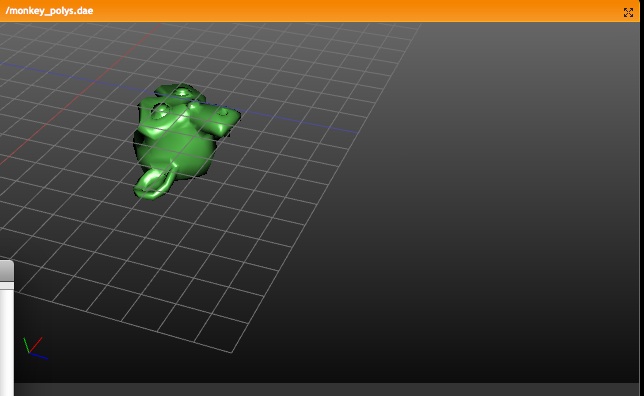
When using vertex weight groups to control Shapes, the vertexgroup also
worked when no IpoCurve was assigned to channel (channel defaulting to 1).

This now only works with a Pinned Shape. For relative key situations it was
not useful. :)
returned NULL in editmode was invalidated which caused a crash in
   particles (was freeing subsurf cache). I can't remember but hope
   that I didn't intentionally break this assumption for some
   reason. :/
editmode" feature. This specific fix only patches the case with armature
deformed meshes & vertex groups.

Note that while in editmode, new created vertices have no weights or
groups assigned, so the result will be unpredictable. This feature should
actually only be allowed for moving vertices around I guess...
Just fill in the name of a Vertex group in the Shape Panel, and this
Shape will then become blended with the reference Shape.

It is useful for example for a symmetrical modeled head, make a
copy of that Shape, and use two Vertex Groups to make it asymetric.
Of course the Shapes update nicely while Weight Painting.

Also new; since the Vertex group names reside on Object level, you might
want to copy these names to the other Objects that have the same Mesh.
That's a new button "Copy to Linked" in the first Edit Panel.
When using 3d window "unlocked" (own layer and own camera possible), the
dependency updates didn't work, these were only using Scene layers.

Changed the dependency graph call DAG_scene_flush_update()
to accept an argument for all visible layers in a Screen.
First note that this is new functionality, unfinished, and only for
testing and feedback purposes. I'll list below what works, and what will
need work still.

This text is also in cms: http://www.blender.org/cms/Ipo_Drivers.680.0.html

An IpoDriver is like an IpoCurve, but instead of a Bezier curve, it allows
to connect a property of other Objects as input for the "channel". For
example, IpoDrivers can be used to have a Shape Key being "driven" by
the rotation of a Bone. Or the RGB colors of a Material get driven by the
XYZ location of an Object.

Editing of Drivers happens in the IpoWindow. Here you can notice that the
channels (right hand window) now have an "active" channel indicator.
To add a Driver, you have to use the "Transform Properties" Panel (Nkey).
Here you can add or remove a Driver to the active channel, and use the
buttons to fill in what kind of relationship you want to establish.

Driver Objects

Note that any Ipo Channel can become driven now, but that only Object
transformation or Pose Bone transformation can be used to become a
Driver now.
At this moment, only the local transformation is taken into account.
For Objects that means the location/rotation/scale value without Parent
transform (as shown in "Transform Properties" Panel for Objects).
For Pose Bones it means that only the Pose transform (changes of rest
position) is Driver information (also as shown in Transform Property
Panel in Pose Mode).

Mapping of Drivers

When an Ipo Channel is "driven", the mapping is by default one-to-one.
It is only restricted by already built-in limits for Channels, like
for Material the "R" value can only range from 0.0 to 1.0.

Also note that when mapping rotations, the actual rotation values
in Ipos are scaled down with a factor 10.0. (180 degrees actually has
in the Ipo system a value of 18.0). This is an ancient year zero
convention in Blender... it is a bit hidden, because the ruler
(vertical as well as horizontal) displays the virtual values correctly.
Only the Properties panel shows the actual value.

When you draw an IpoCurve in a Driven channel, this curve will define
the mapping between the Driver output (horizontal) and Driven input
(vertical, as usual).
A nice new option to use is "Insert one-to-one curve" (press I-key,
or in pulldown menu). This will also zoom the display in exactly to
fill the window, allowing easy edit. If you use this option with
degrees, it will map 180 degree rotation to a range of 1.0 unit.

Live updates

Since the Drivers are integrated in the Ipo system, they will always
be updated whenever an Ipo is evaluated. This happens at least on
frame changes.
For interactive feedback, updates while transforming objects were
added in these cases:

- Driven Object Ipos, by other Objects or Pose Bones
- Driven Shape Key Ipos, by other Objects or Pose Bones

You can also insert Drivers on Action Ipos, but these are only evaluated
on frame change now.

Todo

- Drivers can also get a text button, allowing a 1 line Python script
  to be executed.
- Make UI for it a bit less hidden... maybe with visualization in 3D?
- Allowing global transform coordinates as Driver too.

Issues

- renaming Bones won't rename drivers
- (file) appending the Ipo won't append the linked driver Objects
memory. Poses should be relinked right after duplicating, not during a
redraw (when more objects use same armature).

Added in readfile a patch to make sure files saved with this duplicate
error can still be used.
temporary fix (duplicating code again), the *real* fix would be to once
make one central function to create and init a text object for all
places...

I also tried to introduce compatibility code to be able to load old files
with broken text objects (cu->tb == NULL due to missing init code).

Hope it works :)
This means the diffuse and specular shaders don't use the normal
  for hair (which is actually undefined, a hair is micro cylinder) but
  it uses the tangent vector (vector in direction of hair).

For Diffuse, it computes a fake normal now, representing the optimal
hair normal pointing towards the light. All current builtin shaders
work with this, including ramps.

For Specular, it uses another formula to remap dot products for all
lines that now use the tangent vector instead of the normal:

dot = vector * tangent
dot = sqrt(1.0 - dot*dot)

Gives better results than using the 'fake' normal for diffuse. Officially
(according the papers) this could be used for diffuse too, but then hair
becomes very flat. Now you can control the flatness easily with ramps or
using Oren-Nayer for example.

Example image (disappears in some weeks)
http://www.blender.org/bf/rt9.jpg

- Added new texture channel "Strand" to apply textures on hairs over the
  length of hair (1 dimensional). Orco now gives 1 fixed coordinate for
  the entire hair, based on where it starts.
  Note; UV doesn't work yet. Nor vertexcolor.

http://www.blender.org/bf/rt10.jpg
- debug output now controlled globally by elbeem debug level
  (BLENDER_ELBEEMDEBUG environment var), also for fluidsimBake
	and read/writeBobj
- debug output is written to file for WIN32
- added "for" and "vector" etc. defines for MSVC6
  (I couldnt get hold of the compiler itself, so not tested yet)
unpredictable one!

This is what it did; if two or more Constraints are of the same type, it
accumulates the Target positions/rotations for the constraints, averages
them, and then only applies the last Constraint in the row. It seems to
be a trick to blend IK Constraints or so... in all other cases I cannot
find a good use for it (nor did Bassam).

For example; add three Empties, and make one Empty to have 2 location
constraints to the other two. This just didn't work, unless you insert
an "Empty" constraint inbetween.
I will post in the blender.org animation forum feedback for it too. :)

Its quite easy to make it an option, but I first like to grasp fully what
the actual use of such an option is.
directory... so the slowdown was still evident!

Maintenance commit;

  - *Giant* speedup for LMB frame-dragging in ipo/action/nla windows. It was
    calling a routine that accessed frontbuffer drawing.... a very old patch
    for SGIs even! :)
  - Prepared code for support of unlimited Shape keys
  - Curve objects didnt draw correct for selection-outline option
User doc: http://www.blender3d.org/cms/Shape_Keys.678.0.html

- The mixed use of "Vertex Key","Key" or "RVK" in Blender was a bit
confusing. Also a 'vertex key' assumes keys per vertex, which actually is
only a single key for the entire shape. The discussions on blender.org
forums all mentioned "Shape" or "Blend Shapes", which I think is an OK
name for a "Vertex Key" in the UI. :)

- Most work was code spaghetti cleanup. Doing shape-keys now nicely goes
via the depgraph and DerivedMesh. That then allows to have different
shapes per object, with the new "Pin" feature.
Objects now define what Shape is shown (ob->shapenr)

- Added a Shape Panel in the Edit buttons with the various options

- Fixed a lot of issues in the IpoWindow, with drawing the channels.
For example, deleting a key-line there caused the entire Relative option to
go wrong, same for moving the lines up/down.
Changing key-line order now reflects in order of channels. The active
Shape is drawn more clear now too.

- Noticed it doesnt work yet for curves/lattice. Need modifier advise!
Hooks now support vertex groups. With weight painting it looks very
interesting. Almost z-painting! :) Try a sphere with all vertices in a
group, hook it, and scale empty in object mode a bit.
http://www.blender.org/bf/rt3.jpg
(Which gives the idea to make a Displace Modifier working with normals and
vertexgroups..)

Works as follows now; in Mesh editmode, when no vertices are selected, it
tries to assign on CTRL+H command the active Vertex Group. (Menu is getting
to long now... need to think over). Only works when vertices are assigned
to a Vertex Group, this to calculate the Hook center.
by daniel before. :)
Note; the shaded display uses smooth normals by default, because thats how
the derived mesh works!

Daniel; I've changed the G_WEIGHTPAINT hack in derivedmesh code... no idea
how this could work even. Still ugly though.
Playback of sequencer sound crashed in combination with dupliverted
Objects. (confirmed in osx only btw).

Found out there's old not-needed code in the update_for_newframe() call,
that was intended to do updates for Manipulators (calling countall()).
In countall(), the entire duplilists were generated over, just for
counting the totals.

First step was removing the countall from update_for_newframe, and added
a count_duplilist() call which doesn't generate the full duplilist. That
made Blender not crashing anymore, but gives "Error totblock", without
printing the block names even...

The weird thing also was that the crash showed severe memory corruption in
the malloc library, when combining audio scrubbing (SDL) and duplilists.

I now suspect there's a remaining issue with DerivedMesh, but for that I
need help from Daniel.
(fixed shadowed variables warnings, removed cfgparser.hpp,
	added cfgparser.h, removed debugging output)
- added support for env. var BLENDER_ELBEEMDEBUG to enable
  debugging output again
- fixed missing triangle display (marching cubes produced v3=0 triangles)
- fixed geometry init bug (nearest intersection check
  for intersecting objects was messed up)
- changed position of derived mesh creation in DerivedMesh.c
  (for some reason the useDeform code is necessary, without it or
	 with useDeform=0 nothing is displayed)
- 3dviews now update every 2 seconds to show simulation progress
- note: mesh_strip_loose_faces(me); in ./source/blender/blenkernel/intern/mesh.c:937
  not necessary anymore?
reads from the old mface->edcode flag to set edge drawing.

ALso; added a pointer check in draw_mesh_object(), here the derivedmesh
gives NULL on reading regression file lostride.blend. Zr needs to check!
Radiosity didn't add edges block, on "Replace Meshes". Caused wireframe
not to draw, but also crashes like for join().

Also: added patch that sets the drawflags in edges derived from the
ones set in faces. This ensures the conversion to be done correct.

TODO: this edges call also used in other areas in code, that has to be
catched and done differently.
Undid Daniels' commit (version 1.42) for this file, which claimed to fix
"free baked softbody". Result was that baked softbodies couldn't be read
from a file (always were freed).

I tested the free bake, and it works properly. Daniel: your move!
never work correctly with it, the way it is currently implemented.

The selection won't draw correctly either with TextOnCurve, and this is
really asking a bit much..

What to do...
rendered with MBlur or Fields.
This is a fix for now, but I've already noticed several pending issues for
Blender's internal time control (time ipos, global time control, startframe
offsets, etc). That's for another time! (pun not intended :)
- Move UVTEXTTOOL variables into global Gip struct (like Gvp for
    vertex paint). This will probably be moved into SpaceImage later,
    so it is saved with the .blend file.
  - Disable tool drawing. a better solution needs to be found.
  - Panel button layout is still the same, this will change.

- Removed the NAN_TPT define, it has no use anymore.
Note: The "Insert Text" button pretty much replaces this, together with
      the fact that editing 3d text is now much more powerful than the
      usual text editor ;-)
Further information is available here:

http://wiki.blender.org/bin/view.pl/Blenderdev/UnicodeFont3D

Shortlist of features:

- Unicode character support for Font3D
- UI to select characters from Unicode character list
- UI to select Unicode table areas
- Optimized character loading (Load only those characters which are used
  in font object)

Please test extensively if it breaks anything, try also loading/saving
files, packing fonts, etc.

The official text regression file in the regression suite should be a
good start.

Thanks to mikasaari for this very useful addition!
conversion of data still. Remains a painful issue to get things converted
and in same time prevent things from calculated twice. :)

Anyhoo, issue was that old files with armatures in hidden layers went wrong