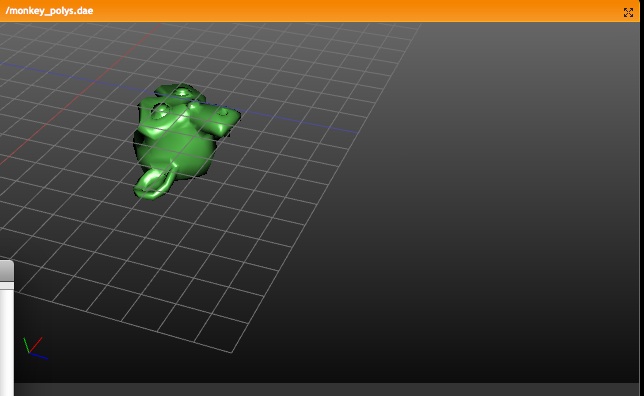
- borderselect draws cleaner info in bottom/left corner window
- OGL render (in view3d header) option didn't work on successive renders.
  was due to removing hack that reopened the window each time. But now it
  needed to be assigned correctly to blender's 'mywindow' system.
selection method, since there's too much trash in drawobject.c and displists...
But, I couldn't stand the zbuf selection to miss edges too often. Right now
both methods are still in the code, and can be reviewed.

Please note for test:
- borderselect and circle-select still use old method
- new selection works directly on faces & edges
- subsurf optimal draw and selection works fine now

To detect the closest vertex or edge, i use the old 'spiral selection' code,
which is extremely accurate. If your mouse is close to an edge, it should
find it.

Most evidently I need to test speed... also, the disadvantage of backbuf
selection is the limited depth, which can be 16 bits (65 k faces) on systems.
ALT on an edge, in face-select mode. Holding shift again extends selection.

Current UI access can need rethink though. But I also think the loop tools
deserve to be accessible without menu, for speed/workflow. So what's good
shortcuts!

BTW: both tools don't do triangle meshes (yet)
Hotkey: ALT+select (ALT+CTRL for single button mouse)

Hold shift to extend selection, or to deselect

It correctly does edges on boundaries and loose edges too.
- edges now sample on three locationsm gives more hits
  - own version of glPolygonOffset remains cumbersome... but for select
    now the selection routine gets more offset than draw.

- first attempt to clean drawobject.c and displists
  - generic call for draw object in backbuf for select purposes, cleans up
    a lot in the other calls.
  - also to verify if we can (in future) use this for vertex/edge/face
    select, but the whole drawobject code works against me... this is
    for another refactory (incl. displist) and out of the focus for now

- subsurf.c: now creates new faces in order of original. Not used yet, but is
  handy to recover the original order for selection/paint purposes.
http://www.blender.org/bf/rt3.jpg

It draws a 2 pixel line, growing from center of edge, to denote sharpness.
This works nicely with the new selection modes.

Please note that subsurf-optimal still draws original edge then... but
this didnt work before neither. :)
- when adding creases in editmode, and separating that part, displists
  did weird things... separate is hackish anyway
- draw faces (transparant) didnt do triangles correctly
- vertex hidden, always means edge is hidden too
- edge hidden, always means face is hidden too
- face hidden, only means face hides

This means, that in face mode you can hide a face, whilst in edge mode
the edges will still display.

Please note, that when you have no edges saved in a Mesh, it also doesnt
store the hide flags for it, causing in/out editmode too reset hidden
edges.
Run everything thru indent to cleanup spaces vs tabs.
Clean up some of the comments by hand.
BGL.c was not touched due to all that macro wackyness.

There are no functional changes to the code.
Pre-indent versions of source are tagged with
tag bpy-cleanup-20040925 , just in case.
- face centers didnt recalculate at vertex-smooth, vertex-sphere and so
- on edge extrude (meaning the new faces), it now copies face data (material
  index, smooth, tface) from the face that shared an edge
- Zbuffer clipped selection
Based on same algos as for drawing (blender polygon offset) vertices, edges
and faces now are clipped for draw and selection when Zbuffer is used.
Note that it works for endpoint vertices of edges, and for facecenters.
Also works for border and circle-select

- Optimal draw subsurfs
This now draws optimal with faces and edges selected/unselected, hiding the
original 'cage' (mesh) completely.
TODO: edge select, which still uses original (invisible) edge.

http://www.blender3d.org/cms/Mesh_editing_rewrite.425.0.html
- circle-select now works
- delete options for edge/face select work as to be expected.
  should check on a better set of choices in menu though
- assign material / select material options work for new modes
- shift+f fill didnt leave proper select flags...
- border select on face-gones (fgons) works
- 'draw normals' and fgons works now
Just select a bunch of faces (selection should be valid flat poly) and
press FKEY. Works in fact as selection-group optimizing. Nice in solid
drawmode!

Further some small additional fixes in the whole debugging process.
Found old error in loopselect for triangles, subdivision code, and
selection still.

NOTE: subdivide still works on vertex level only.
- hide flags now save correctly in mesh, to restore after going in/out
  editmode
- after an extrude, faces/edges could have wrong select flags
  (only in vertex select mode)
- new rule for addfacelist(); this now copies edges too, if an example
  is provided. That prevents a lot of awkward code, still testing if it
  goes as desired though...
The changelog is very long... it's on the web too:
http://www.blender3d.org/cms/Mesh_editing_rewrite.425.0.html

EditMesh refactor notes (user)

**** New selection modes

When entering Edit Mode for a Mesh, you now have the choice for three selection modes. These are shown as icons in the 3D header (hotkey is being searched for!).

- Vertex Select
Select vertices as usual, fully compatible with how previous version work

- Edge Select
Vertices are not drawn anymore, and selections happen by default on the edges. It is a true edge select, meaning that you can select three out of four edges in a face, without automatic having the 4th edge selected.

- Face Select
Instead of vertices, now selection 'points' are drawn in the face centers. Selected faces also get a colored outline, like for edges. This also is true face select, for each face individual regardless selection status of its vertices or edges.

While holding SHIFT, and press a selection mode, you can also combine the above choices. Now selection becomes mixed, and will behave as expected.
For example; in Edge+Face select mode, selecting the 4 edges of a face will select the face too.

The selection modes and optional drawing modes (like transparant faces, normals, or solid drawing) all work together. All of Blender's mesh editing tools now react to the correct selection mode as well.
Most noticeable it's in:

**** Extrude

Extruding in Edge or Face Select mode allows much more precise control over what's extruded and what should be excluded. Try for example a checker pattern selection, and extrude it.

New is the fixed translation when faces are extruded. This always follows the (averaged) face normal(s) of the old face(s), enabling much easier working in 3D views . A single 'G' (Grab) or 'R' (Rotate) or 'S' (Scale) will change transform modus as usual.

**** Other things to note

- Hiding edges/faces will also behave different based on Select Mode.
- while editing, normals of faces are updated always now
- Border select (BKEY) has 2 different rules for edges; when one edge is fully inside of the border, it will only select edges that are fully inside. Otherwise it selects each edge intersecting with the border.
- in face mode, adding vertices, edges or a circle is invisible...
- "Add monkey" now works as a normal primitive (rotated and on 3d cursor)
- Mesh undo was fully recoded, hopefully solving issues now with Vertex Keys and Groups
- Going in and out of editmode was fully recoded. Especially on larger models you'll notice substantial speed gain.

**** Todo

Add 'FaceSelect mode' functionality in EditMode, including zbuffered selection, display and editing of UV texture.


EditMesh refactor notes (coder)

**** Usage of flags in general
The "->f" flags are reserved for the editmesh.c and editmesh_lib.c core functions. Actually only selection status is there now.
The "->f1" and "->f2" flags are free to use. They're available in vertex/edge/face structs. Since they're free, check carefully when calling other functions that use these flags... for example extrude() or subdivide() use them.

**** Selection flags
EditVert: eve->f & SELECT
EditEdge: eed->f & SELECT
EditFace: efa->f & SELECT

- Selection is only possible when not-hidden!
- Selection flags are always up-to-date, BUT:
  if selection mode >= SELECT_EDGE vertex selection flags can be incorrect
  if selection mode == SELECT_FACE vertex/edge selection flags can be incorrect
  This because of shared vertices or edges.

- use for selecting vertices:
  eve->f &= SELECT
- use for selecting edges always:
  void EM_select_edge(eed, 1)  // 1 = select, 0 = deselect
- use for selecting faces always:
  void EM_select_face(efa, 1)  // 1 = select, 0 = deselect

- To set the 'f' flags in all of the data:
  void EM_set_flag_all(int flag);
  void EM_clear_flag_all(int flag);

- the old faceselectedOR() and faceselectedAND() are still there, but only
  to be used for evaluating its vertices

**** Code hints for handling selection

If the selectmode is 'face'; vertex or edge selections need to be flushed upward. Same is true for 'edge' selection mode. This means that you'll have to keep track of all selections while coding... selecting the four vertices in a face doesn't automatically select the face anymore.

However, by using the above calls, at least selections flush downward (to vertex level). You then can call:

void EM_selectmode_flush(void);

Which flushes selections back upward, based on the selectmode setting. This function does the following:

- if selectmode 'vertex': select edges/faces based on its selected vertices
- if selectmode 'edge': select faces based its selected edges

This works fine in nice controlled situations.

However, only changing the vertex selections then still doesn't select a face in face mode! If you really can't avoid only working with vertex selections, you can use this call:

void EM_select_flush(void);

Now selection is flushed upward regardless current selectmode. That can be destructive for special cases however, like checkerboard selected faces. So use this only when you know everything else was deselected (or deselect it). Example: adding primitives.


**** Hide flags
EditVert: eve->h
EditEdge: eed->h
EditFace: efa->h

- all hide flags are always up-to-date
- hidden vertices/edges/faces are always deselected. so when you operate on selection only, there's no need to check for hide flag.

**** Unified undo for editmode

New file: editmode_undo.h
A pretty nice function pointer handler style undo. Just code three functions, and your undo will fly! The c file has a good reference.

Also note that the old undo system has been replaced. It currently uses minimal dependencies on Meshes themselves (no abuse of going in/out editmode), and is restricted nicely to editmode functions.

**** Going in/out editmode

As speedup now all vertices/faces/edges are allocated in three big chunks. In vertices/faces/edges now tags are set to denote such data cannot be freed.

ALso the hashtable (lookup) for edges uses no mallocs at all anymore, but is part of the EditEdge itself.
- small updates to the docs;
- Object: small fix to getMatrix: check during_script() to avoid undesired loops; added old behavior (pre 2.34) as option: .getMatrix('oldlocal');
- tentative fix for bug #1275: scene REDRAW scriptlinks were not being executed (the call to do so was missing):
http://projects.blender.org/tracker/index.php?func=detail&aid=1275&group_id=9&atid=125
    added the call in drawview.c, in drawview3dspace().  This causes the scriptlink to be called for each visible view3d, but that's what happens with object redraw scriptlinks, too.  Anyway, this is still a test.  The place was chosen based on the idea that a scene redraw scriptlink is like an object redraw one, but for all objs in the scene at once.

- Window.Theme: new submodule, to get/set theme options in Blender;
- Added the script save_theme.py (Help menu for now), to save the current theme in Blender as an executable script (currently shown in the Scripts->Misc menu).

There's more work to do for themes, like defining a proper place for them in the interface, adding documentation (for now the added script and the ones it generates can give a pretty good idea of how to use the new module), probably extending themes to support SpaceScript and so on.
Bugfix for anim crash with xml export and no export dir set.
Alternate relative path using blender function, but wouldn't be surprised
if it still is a problem in some cases for some (windows) users.
 Ton Roosendaal
 Matt Ebb
 Stephen Swaney
 Willian Padovani Germano
 Alfredo de Greef
 Martin Poirier